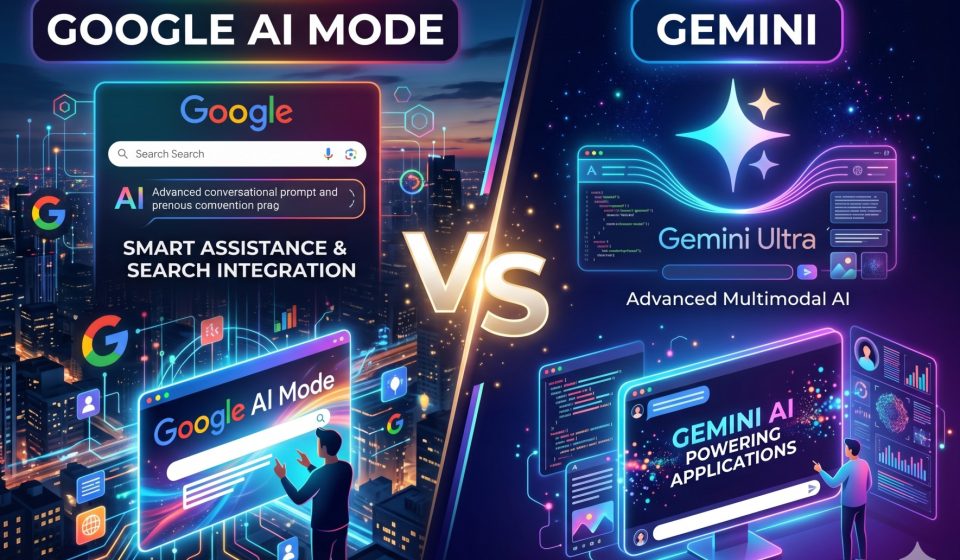
Google AI Mode vs Gemini: Key Differences, Use Cases, and Which One You Should Actually Use in 2026

Google has released a growing family of AI-powered products over the past two years, and the naming has become genuinely confusing. Google AI Mode and Gemini are two distinct products that serve different primary purposes, operate in different interfaces, and are best suited to different kinds of tasks. Understanding the difference between them is no longer optional for anyone using Google’s AI tools in a professional context.
This guide breaks down Google AI Mode versus Gemini in full detail, explains where each product excels, and helps you determine which one fits your actual workflow in 2026.
What Is Google AI Mode
Google AI Mode is a search experience built directly into Google Search. When AI Mode is enabled, Google’s search engine generates AI-synthesized responses to your queries before presenting traditional organic search results. The AI-generated summary sits above the standard blue links and attempts to directly answer your question using information gathered from multiple indexed sources.
AI Mode is integrated into the Google Search interface rather than operating as a standalone chat application. You access it through the same search bar you have always used, and the experience is designed to feel like a natural extension of search rather than a separate AI product.
Google AI Mode draws on Gemini’s underlying technology but applies it specifically to the task of web search and information retrieval. It indexes and synthesizes real-time web content, which means its responses reflect current information rather than a fixed training data cutoff.
What Is Google Gemini
Google Gemini is a standalone AI assistant available through gemini.google.com, the Gemini mobile app, and integrated within Google Workspace products including Docs, Sheets, Gmail, and Drive. Gemini is designed as a general-purpose AI assistant capable of conversational interaction, content creation, code generation, data analysis, and complex reasoning tasks.
Unlike AI Mode, Gemini maintains persistent conversation threads where context carries forward across multiple exchanges. This makes it suited to tasks that require iterative refinement, extended dialogue, and multi-step problem solving.
Gemini is available in a free tier and through the Google One AI Premium subscription, which provides access to Gemini Ultra, Google’s most capable model version. The premium subscription also unlocks deeper integration with Google Workspace applications.
Google AI Mode vs Gemini: The Core Functional Differences
Primary Purpose
Google AI Mode is optimized for information retrieval. Its core job is to give you a useful answer to a factual question faster than reading through multiple search results. It is built around the search paradigm: you have a question, it synthesizes an answer from current web content.
Gemini is optimized for interactive collaboration. Its core job is to work with you on tasks that require context, iteration, and creative or analytical depth over an extended session. It is built around the conversation paradigm: you have a goal, and you and Gemini develop it together across multiple turns.
Real-Time Information Access
This is one of the most significant practical differences between the two products. Google AI Mode has direct access to Google’s search index and synthesizes responses from current web content. If something happened yesterday, AI Mode can incorporate that information into its response.
Gemini’s access to current information is more limited. While Gemini Advanced can perform web searches when necessary, its primary knowledge base is its training data, which has a defined cutoff date. For queries where the most current information is critical, AI Mode has a structural advantage.
Conversation and Context
Google AI Mode does not maintain a persistent conversational context in the way Gemini does. Each AI Mode query is largely treated as a standalone search event. While you can ask follow-up questions within a session, AI Mode is not designed to retain detailed project context across a long working session.
Gemini maintains full conversation history within a thread, allowing you to reference earlier parts of the discussion, build on previous outputs, and give the AI accumulating context about your goals and preferences. This makes Gemini substantially more useful for ongoing projects.
For users who need to continue complex Gemini conversations across sessions or on a different AI platform, the step-by-step process for transferring Gemini conversation history to Claude without losing context is worth bookmarking.
Output Type
AI Mode outputs are primarily summary responses with cited web sources. The output is designed to answer a specific question rather than produce a standalone deliverable.
Gemini outputs can include long-form written content, structured documents, code, data analysis, formatted tables, and multi-part responses. Gemini is designed to produce things you can actually use directly, not just answers you read and move on from.
Integration with Google Workspace
Gemini integrates directly with Google Docs, Sheets, Slides, Gmail, and Drive through the Gemini Advanced subscription. This means you can invoke Gemini while drafting a document, analyzing a spreadsheet, or composing an email without leaving the application.
Google AI Mode currently operates only within the Google Search interface and does not have the same level of deep integration with Workspace productivity tools.
When to Use Google AI Mode Instead of Gemini
Google AI Mode is the better choice when:
You need a fast, factual answer to a specific question and want the AI to synthesize information from current web sources rather than its training data. Examples include current event summaries, recent product comparisons, live pricing information, or the latest research findings in a fast-moving field.
You are doing exploratory research and want to quickly survey the landscape of a topic before deciding where to focus your attention. AI Mode’s source citations make it easy to identify authoritative sources for deeper reading.
You want a search-like experience with AI-enhanced results and are not looking to engage in an extended dialogue. If your goal is a quick answer rather than a collaborative working session, AI Mode’s streamlined interface is more efficient than opening a Gemini conversation.
When to Use Gemini Instead of Google AI Mode
Gemini is the better choice when:
You are working on a task that requires multiple exchanges to develop, such as drafting and refining a document, debugging code, or building out a research outline. The persistent conversation context in Gemini makes iterative work dramatically more efficient than AI Mode.
You need to produce a standalone output such as a written article, code file, data analysis, or structured report. Gemini is built to generate usable deliverables, not just synthesized answers.
You are deeply embedded in Google Workspace and want AI assistance that works within your existing document editing, email, and spreadsheet workflows. Gemini’s Workspace integration is a significant practical advantage for Google-centric teams.
You want your AI assistant to follow complex, multi-part instructions over an extended session. Gemini’s instruction-following capabilities and context window are substantially better suited to this than AI Mode’s search-oriented architecture.
Google AI Mode vs Gemini: Side-by-Side Comparison
| Feature | Google AI Mode | Google Gemini |
|---|---|---|
| Primary use case | Web search with AI summaries | Conversational AI assistant |
| Real-time web access | Yes, from Google Search index | Limited, via search when needed |
| Persistent conversation | Limited | Full, across long threads |
| Output type | Synthesized answers with citations | Drafts, code, analysis, documents |
| Workspace integration | No | Yes (Gemini Advanced) |
| Access point | Google Search | gemini.google.com, mobile app |
| Best for | Fast factual queries | Complex, iterative tasks |
| Free tier | Yes | Yes |
| Premium tier | Via Google One AI Premium | Via Google One AI Premium |
How Google AI Mode and Gemini Work Together
For power users, AI Mode and Gemini serve complementary functions rather than competing ones. A practical workflow might look like this: use AI Mode to rapidly gather current background information on a topic, then open a Gemini conversation to develop that information into a structured document, analysis, or action plan.
This combination captures the strengths of both products: AI Mode’s access to current, sourced information and Gemini’s capacity for context-rich, iterative creation.
The Relationship Between Google AI Mode, Gemini, and Google AI Studio
Users who have explored Google’s developer offerings may also have encountered Google AI Studio, which is a separate interface for accessing Gemini models via API. AI Studio is intended for developers building applications on top of Gemini’s capabilities rather than for end-user AI assistance.
For a clear explanation of how Google AI Studio differs from the consumer Gemini product, the complete comparison of Google AI Studio versus Gemini with use case guidance provides an authoritative breakdown.
Limitations of Google AI Mode That Gemini Does Not Have
No document upload capability. AI Mode cannot process files you upload. If you need an AI to analyze a PDF, review a spreadsheet, or work with a document you have created, Gemini handles this while AI Mode does not.
No multi-turn project context. Because AI Mode is built on the search paradigm, it does not accumulate project-level context the way Gemini does. You cannot tell AI Mode “we are continuing the analysis from two days ago” and have it understand what that means.
No code generation or technical task execution. AI Mode is not designed for software development assistance, code review, or technical problem-solving of the depth that Gemini Advanced supports.
No customization of output format. Gemini allows you to specify exactly how you want output structured: tone, format, length, style, technical depth. AI Mode produces standardized search-adjacent summaries without this level of customization.
Limitations of Gemini That Google AI Mode Does Not Have
No live web search by default. Gemini’s primary responses draw on training data rather than real-time web content. For queries where the most current information is essential, AI Mode’s access to the live Google index gives it a meaningful advantage.
No source citation transparency. Gemini’s responses do not consistently cite specific sources in the way AI Mode does. For users who need to verify claims and trace information back to authoritative sources, AI Mode’s citation model is more transparent.
No integration with Google Search’s ranking signals. AI Mode benefits from decades of Google’s work on evaluating source quality and relevance. Gemini’s knowledge comes from training data without the same real-time quality filtering that search-based responses have access to.
Should You Switch from Gemini to Claude Instead of Using AI Mode
For users whose primary frustration with Gemini is its context window limitations, instruction-following consistency, or reasoning depth on complex tasks, the comparison worth making is not AI Mode versus Gemini but Gemini versus Claude.
Claude offers a substantially larger context window, which matters when your projects require keeping extensive background, code, or document content in the AI’s working memory simultaneously. Users who have made the switch frequently report that their most context-heavy workflows benefit from Claude’s capacity to maintain coherence across very long conversations.
TransferLLM provides the Gemini2Claude desktop tool specifically for users making this transition. The tool runs entirely on your device, transfers your full Gemini conversation history to Claude with structure and context intact, and does not send your data through any external server. You can also review how other users have approached loading extended Gemini threads into Claude to understand what the experience involves before committing to a migration.
1. What is the difference between Google AI Mode and Gemini?
Google AI Mode is an AI-powered search experience integrated into Google Search, designed for finding answers, browsing the web, shopping, and researching information quickly.
Google Gemini is Google’s standalone AI assistant and multimodal model family used for productivity, coding, writing, reasoning, image generation, and advanced conversations.
In short:
- AI Mode = AI-powered search experience
- Gemini = Full AI assistant/platform
2. Is Google AI Mode replacing Gemini?
No. AI Mode and Gemini serve different purposes and are expected to coexist in 2026.
AI Mode enhances traditional search by giving conversational answers directly in search results, while Gemini focuses on tasks like:
- Document creation
- Coding help
- Deep reasoning
- Workflow automation
- Multimodal AI interactions
3. Which is better for research and fact-checking?
Google AI Mode is generally better for:
- Real-time web information
- Product comparisons
- Quick summaries
- Search-based research
- Discovering sources
Gemini is better for:
- Analyzing long documents
- Brainstorming ideas
- Writing reports
- Strategic planning
- Complex reasoning tasks
4. Should businesses optimize content differently for AI Mode vs Gemini?
Yes.
For AI Mode:
- Focus on SEO
- Structured data/schema markup
- Clear answers
- Authoritative content
- FAQ optimization
For Gemini:
- Create in-depth, context-rich content
- Publish expert insights
- Use conversational formatting
- Include detailed explanations and examples
5. Which one should you actually use in 2026?
Use AI Mode if you want:
- Fast answers
- Web search assistance
- Shopping recommendations
- News summaries
- Local/business discovery
Use Gemini if you want:
- Content creation
- Coding assistance
- Advanced AI workflows
- File analysis
- Long-form conversations
- Productivity support
Most users will likely use both:
- AI Mode for discovery/search
- Gemini for execution and productivity
Making the Right Choice for Your Workflow
The Google AI Mode versus Gemini question is ultimately a workflow question, not a capability debate. Both products use Gemini’s underlying model technology but package it for fundamentally different user intentions.
If your primary AI interaction is search-like and you want current, sourced answers quickly, AI Mode is a meaningful upgrade to traditional search and well suited to your pattern. If your primary AI interaction involves extended collaborative sessions, document creation, code work, or complex problem-solving, Gemini is the right tool and AI Mode is a complement to it rather than a replacement.
Understanding that distinction will save you significant frustration from trying to use the wrong product for the wrong job, which is one of the most common sources of disappointment with AI tools across all platforms.
For a broader view of how Gemini compares to its main competitors across the full range of AI assistant tasks, the comprehensive head-to-head comparison of Gemini and ChatGPT for 2026 is a useful resource to read alongside this guide.