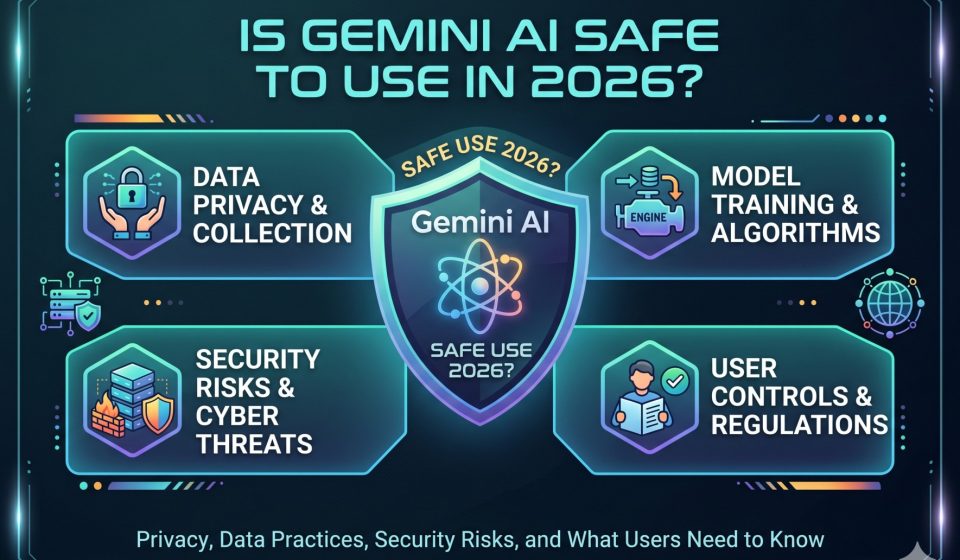
Is Gemini AI Safe to Use in 2026? Privacy, Data Practices, Security Risks, and What Users Need to Know

The question of whether Gemini AI is safe to use is one that every new user should ask before feeding it sensitive information, relying on its outputs for important decisions, or integrating it into a professional workflow. The short answer is that Gemini is broadly safe for general use, but safety is not a binary condition. It depends on what you share with it, how you configure your privacy settings, what type of work you do, and what your risk tolerance is for AI-generated errors. This guide walks through every dimension of Gemini AI safety that matters in 2026, from data handling and privacy to content moderation and factual reliability.
How Google Collects and Uses Your Gemini Conversations
When you use Gemini at gemini.google.com or through the Gemini mobile app, your conversations are processed by Google’s servers. By default, Google stores your conversation history and may use it to improve Gemini’s models. This means that the prompts you type and the responses you receive can be reviewed by Google employees or contractors as part of their quality improvement processes, unless you have disabled this in your account settings.
Google’s data retention policy for Gemini conversations, as of 2026, stores activity for 18 months by default, though you can change this to 3 months or 36 months, or disable activity saving entirely through your Google Account settings under “Gemini Apps Activity.” Disabling activity saving means your conversations are not associated with your Google account and are not used to train Gemini models going forward, but conversations from sessions before you disabled saving may still exist in Google’s system for a period.
For users who work with confidential business information, attorney-client communications, medical records, or financial data, this default data collection posture is a genuine risk factor. Typing sensitive client information into a Gemini prompt means that information may be stored by Google and reviewed by Google personnel. This is not unique to Gemini. ChatGPT, Claude, and most other commercial AI assistants have similar policies for their standard tiers.
For a broader comparison of what users share with these platforms and the associated risks, the guide on things you should never tell ChatGPT applies equally to Gemini, since the underlying data risk is the same category of concern.
Gemini Workspace and Enterprise Privacy Settings
If you use Gemini through Google Workspace, the privacy situation is different from the consumer app. Google Workspace customers with an Admin-managed account have enterprise-grade data protections by default. Google’s Workspace terms state that customer data is not used to train Google’s AI models unless the administrator has explicitly opted in. This makes Gemini in Workspace significantly more suitable for professional and enterprise use than the consumer version with default settings.
If you are a business user and you are unsure whether your organization’s Gemini access is through a managed Workspace account or a personal consumer account, check with your IT administrator. The distinction matters considerably from a data governance perspective.
Content Moderation and Harmful Output Risks
Gemini uses a layered content moderation system designed to prevent harmful, illegal, or dangerous outputs. This includes filters for explicit violence, adult content, instructions for illegal activity, personal attacks, and manipulation. Google has published its Responsible AI practices and has incorporated safety evaluation into the Gemini model development process through what it calls “red teaming” exercises and policy-guided reinforcement.
In practice, Gemini’s content filters are more conservative than some competing models in certain domains and less conservative in others. Users who rely on Gemini for medical information, legal guidance, or financial advice should understand that Gemini will often add disclaimers and may refuse certain requests. These guardrails are intentional. They reduce the risk of users acting on AI-generated advice that could cause harm, though they can also make the tool feel overly cautious in legitimate professional contexts.
One notable risk area is factual hallucination. Gemini, like all large language models, can generate confident-sounding statements that are factually incorrect. In 2024 and early 2025, Google faced public scrutiny over AI Overviews in Search generating inaccurate answers, some of which were widely circulated. Gemini as a chat assistant has the same underlying susceptibility. For any factual claim that matters, particularly in medical, legal, financial, or scientific contexts, you should verify Gemini’s output against primary sources before relying on it.
Is Gemini Safe for Children and Younger Users
Google restricts Gemini access to users who are 13 or older in most countries and 18 or older for Gemini Advanced. Accounts managed by parents through Family Link with appropriate settings will block access to Gemini apps. However, if a minor has access to an unmanaged Google account, there is no automatic age verification that would prevent them from accessing the consumer Gemini app.
Gemini’s content filters do limit the types of harmful content it will produce, which provides a degree of protection. However, parents who are concerned about their children’s use of AI assistants should review their children’s Google account settings and consider using supervised accounts with Family Link.
Security Risks: Prompt Injection and Third-Party Extensions
A category of risk that has grown in relevance as Gemini has expanded its integration with external apps and extensions is prompt injection. This refers to a scenario where malicious instructions embedded in a document, email, or webpage that Gemini reads are interpreted by the AI as legitimate commands from the user. For example, if you ask Gemini to summarize a document and that document contains hidden text instructing Gemini to take a specific action, the model may follow those instructions.
Google has implemented protections against prompt injection attacks, but no current AI system is fully immune to them. For users who rely on Gemini’s document analysis, email summarization, or web browsing capabilities, this is a real, if relatively low-probability, risk for most everyday users.
Users who want to protect themselves should avoid having Gemini analyze untrusted documents from unknown sources in the same session where it has access to sensitive information or the ability to take actions like sending emails or creating calendar events.
Comparing Gemini’s Safety to Other AI Assistants
Gemini’s safety profile is comparable to other major commercial AI assistants in 2026. ChatGPT, Claude, and Gemini all have similar data retention policies for their consumer tiers, similar content moderation frameworks, and similar hallucination risks. None of them are unconditionally safe for sensitive professional use without appropriate enterprise agreements and settings.
Claude, developed by Anthropic, uses a Constitutional AI approach that has received positive attention for its emphasis on honesty and harm avoidance. Some users who have concerns about Gemini’s safety posture migrate their workflows to Claude and find the shift worthwhile. If you have an existing history of Gemini conversations you want to bring with you, transferring your Gemini chats to Claude is possible without losing context or structure, using a tool that processes everything locally on your device.
For users comparing the broader set of available AI assistants, the guide on the best AI tools similar to Gemini in 2026 covers the alternatives with honest capability comparisons.
Practical Safety Steps for Gemini Users in 2026
There are concrete steps you can take to use Gemini more safely without abandoning the tool entirely.
The first step is to disable Gemini Apps Activity in your Google Account settings if you do not want your conversations stored or used for model training. This is found under “Data and Privacy” in your Google Account, then under “Gemini Apps Activity.”
The second step is to avoid typing personally identifiable information into Gemini prompts. Do not include full names combined with health conditions, financial account numbers, passwords, or any information that would be damaging if it reached an unintended party.
The third step is to treat every factual output from Gemini as a first draft that requires verification, not a final answer. This is not unique to Gemini. It is the appropriate mental model for any AI assistant.
The fourth step is to use Gemini through a managed Workspace account for business use rather than through a personal consumer account, and to confirm with your organization’s IT team that enterprise data protections are in place.
The fifth step is to be aware of which Gemini extensions you have enabled. Extensions that give Gemini access to your Gmail, Drive, or calendar expand what it can do but also expand the surface area for potential data exposure or unintended actions.
Is Gemini Safe for Professional Workflows
The answer depends heavily on the nature of the work. For general productivity tasks like drafting emails, summarizing non-confidential documents, brainstorming, writing code for personal projects, and generating creative content, Gemini is reasonably safe with the settings adjustments described above.
For work involving confidential client information, regulated data under HIPAA, GDPR, or financial compliance frameworks, or government-classified information, Gemini’s consumer tier is not appropriate without explicit legal review and appropriate enterprise agreements. Google offers Gemini for Google Workspace with enterprise data protections, which is a different product with different contractual commitments around data handling.
Users who have been building detailed professional workflows in Gemini and want to explore whether Claude might be a better fit for their confidentiality requirements can move their ChatGPT history to Claude or move their Gemini history using a local transfer tool, preserving all their existing context during the migration.
How Gemini AI Handles Sensitive Topics
Gemini applies different levels of caution to different categories of sensitive topics. For medical questions, it typically provides general information and recommends consulting a healthcare professional. For legal questions, it similarly provides general context without specific legal advice. For mental health topics, it is configured to encourage professional help and provide crisis resources when appropriate.
These guardrails represent an attempt to balance helpfulness with harm prevention, though users often find them frustrating when they have legitimate informational needs. The key point from a safety perspective is that these guardrails exist, which means Gemini is less likely than an unconstrained model to generate output that could directly harm a user.
You can find more context on whether Gemini AI makes mistakes and what kinds of errors to watch for in the detailed error analysis guide, which covers the specific categories of factual and reasoning failures that users commonly encounter.
What Happens to Your Data When You Delete Your Gemini History
When you delete your Gemini conversation history through the Google Account Activity controls, Google’s stated policy is that conversations are deleted from their servers within a defined retention window. As of 2026, Google states that deleted activity may remain in backup systems for up to 180 days before full removal. This is standard practice for large cloud services but is worth understanding if you delete history expecting it to be instantly and permanently removed.
Gemini conversations shared through the “Share” feature in the Gemini interface create a publicly accessible link that can be viewed by anyone with the link. These shared conversations persist even if you delete the original conversation from your account. If you have shared a Gemini conversation and later decide the content is sensitive, you need to delete the shared link separately from deleting the conversation itself.
Frequently Asked Questions
Q1: Does Google use my Gemini conversations to train its AI models?
By default, yes. If you have Gemini Apps Activity enabled in your Google Account, your conversations may be reviewed by Google and used to improve Gemini. You can disable this in your Google Account settings under “Data and Privacy” then “Gemini Apps Activity,” which stops new conversations from being used for training purposes.
Q2: Is Gemini safe to use for work projects with confidential client information?
Not through the standard consumer account without additional precautions. For work involving confidential or regulated information, you should use Gemini through a managed Google Workspace account with enterprise data protections in place, and verify with your organization’s legal or compliance team that the use case is permitted under applicable regulations.
Q3: Can Gemini AI give me incorrect information that could harm me?
Yes. Like all large language models, Gemini can generate confident-sounding but factually incorrect information, a phenomenon called hallucination. This risk is particularly relevant for medical, legal, financial, and scientific topics. Always verify important factual claims against authoritative sources before acting on them.
Q4: Is Gemini safe for teenagers to use?
Google restricts Gemini access to users 13 and older in most countries, and Gemini Advanced requires users to be 18 or older. Content moderation filters reduce the likelihood of harmful outputs, but parents should review their children’s Google account settings and consider using supervised accounts through Google Family Link for additional control.
Q5: If I switch from Gemini to another AI assistant for safety reasons, can I keep my conversation history?
Yes. If you decide another AI assistant better meets your privacy or safety requirements, you do not have to abandon your existing Gemini conversation history. Tools like gemini2claude.com transfer your conversation threads directly to Claude entirely on your local device, so your data never passes through a third-party server during the migration. Similarly, users moving from ChatGPT to Gemini can use chatgpt2gemini.com for the same locally-processed transfer.Share