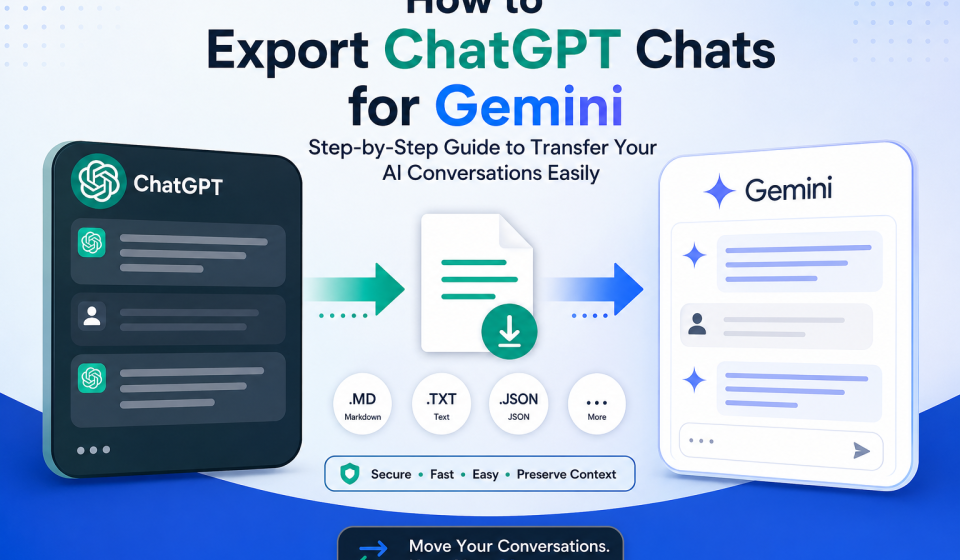

Many people use both ChatGPT and Gemini for different tasks. ChatGPT is great for brainstorming, coding, writing, and research. Gemini offers strong integration with Google Workspace and other Google services. Because each AI assistant has unique strengths, switching between them has become common.
The biggest challenge appears when you want to continue an existing ChatGPT conversation in Gemini. Copying hundreds of messages manually takes time, breaks formatting, and often loses important context.
The good news is that you do not have to start over. This guide explains how to export ChatGPT chats for Gemini, why manual copying is not the best option, and how tools like TransferLLM make the entire process much easier.
What Does It Mean to Export ChatGPT Chats for Gemini?
Exporting ChatGPT chats for Gemini means transferring your existing conversations from ChatGPT into a format that you can continue using inside Gemini.
Instead of rebuilding prompts or copying each message one by one, you move the conversation while keeping as much structure and context as possible.
People export conversations for many reasons.
- Continue ongoing projects
- Reuse research
- Save prompt history
- Move business conversations
- Organize AI workflows
- Compare AI responses
Whether you are a writer, developer, marketer, or student, keeping your conversation history saves time and improves productivity.
Can You Import ChatGPT Chats Directly into Gemini?
Short Answer: No.
Gemini does not currently provide a built-in feature that directly imports complete ChatGPT conversations.
You can copy and paste conversations manually, but this approach becomes difficult for long discussions. Formatting often changes, prompts may become disorganized, and important context can disappear.
Many users choose a conversation migration tool to simplify this process.
Why Manual Copy-Paste Is Not the Best Option
At first, copying and pasting seems simple. However, it quickly becomes frustrating when conversations become longer.
It Takes Too Much Time
Large conversations can contain dozens or even hundreds of messages. Copying each section manually requires unnecessary effort.
Formatting Gets Lost
Lists, headings, code blocks, and tables may not transfer correctly. This makes the conversation harder to read.
Context Becomes Incomplete
Missing even one message can change the meaning of the entire conversation.
Long Chats Become Difficult
Large projects often include multiple prompts, revisions, and follow-up questions. Managing all of these manually increases the chance of mistakes.
The Best Way to Export ChatGPT Chats for Gemini
A dedicated conversation migration tool makes the process much easier.
TransferLLM helps users move AI conversations between different platforms without rebuilding every prompt manually.
Instead of spending time copying messages, you can convert conversations into a cleaner format that works better across AI assistants.
Depending on your workflow, the platform may support:
- Conversation conversion
- Prompt organization
- AI platform compatibility
- Structured exports
- Faster migration
- Cleaner formatting
This approach allows you to continue working with minimal interruption.
Step-by-Step: Export ChatGPT Chats for Gemini
Follow these simple steps.
Step 1: Open Your ChatGPT Conversation
Choose the conversation you want to continue inside Gemini.
Review the chat and remove anything you no longer need.
Step 2: Copy or Upload the Conversation
Depending on your workflow, either copy the conversation or upload your exported chat into TransferLLM.
The platform prepares the content for migration.
Step 3: Convert the Conversation
TransferLLM processes the conversation and restructures it for better compatibility.
This reduces formatting issues that usually happen during manual transfers.
Step 4: Export the Converted Chat
Export the conversation in the supported format.
Check that headings, prompts, code blocks, and important responses appear correctly.
Step 5: Open Gemini
Sign in to Gemini and start a new conversation.
Paste or import the converted conversation according to your workflow.
Step 6: Continue Your Work
Gemini now has the previous conversation as reference.
You can continue asking questions instead of starting your project from the beginning.
Benefits of Using TransferLLM Instead of Manual Copying
Using a dedicated migration tool offers several advantages.
Save Time
Instead of copying hundreds of messages, you complete the process much faster.
Better Organization
Structured conversations are easier to read and reuse.
Preserve Formatting
Lists, sections, prompts, and code blocks remain more organized.
Reduce Errors
Manual copying often skips messages.
Automation helps reduce these mistakes.
Improve Productivity
You spend more time working and less time managing conversations.
Who Should Export ChatGPT Chats?
Conversation migration benefits many professionals.
Developers
Move coding discussions between AI assistants without rebuilding technical prompts.
Content Writers
Continue blogs, articles, and marketing campaigns across platforms.
Students
Save research conversations and continue learning with another AI assistant.
Researchers
Keep detailed discussions organized across multiple AI tools.
Marketing Teams
Reuse campaign planning, content calendars, and SEO strategies.
Businesses
Maintain documentation, customer support workflows, and internal knowledge.
Common Problems During Chat Migration
Although migration is simple, users sometimes encounter a few issues.
Formatting Problems
Different AI platforms display content differently.
Review exported conversations before continuing.
Missing Messages
Always verify that every important prompt has been included.
Large Conversations
Very long chats may require organization before migration.
Split extremely large conversations into logical sections if needed.
Privacy Concerns
Avoid sharing confidential information unless you trust the platform you are using.
Review privacy policies before uploading sensitive business data.
Tips for Better AI Conversation Transfers
These best practices help improve migration quality.
- Organize conversations before exporting.
- Remove duplicate prompts.
- Delete unnecessary messages.
- Keep prompts clear.
- Review formatting after migration.
- Save important conversations as backups.
- Separate different projects into individual chats.
- Verify that code blocks and tables display correctly.
Small preparation steps make the transfer much smoother.
TransferLLM vs Manual Chat Export
| Feature | Manual Copy | TransferLLM |
| Speed | Slow | Fast |
| Formatting | Often Lost | Better Preserved |
| Large Conversations | Difficult | Easier |
| Organization | Manual | Structured |
| Productivity | Lower | Higher |
| Error Risk | High | Reduced |
For users who frequently switch between AI assistants, a dedicated migration tool offers a more efficient workflow.
Frequently Asked Questions
Can Gemini import ChatGPT chats directly?
No. Gemini currently does not provide a direct import feature for complete ChatGPT conversations.
How do I export ChatGPT chats for Gemini?
You can export your conversation, convert it into a compatible format, and continue the discussion inside Gemini.
Is manual copy-paste a good option?
It works for short conversations but becomes difficult for long chats.
Can I transfer coding conversations?
Yes. Developers often move programming discussions between AI assistants.
Will formatting stay exactly the same?
Formatting depends on the export method and the destination platform. Reviewing the conversation after migration is always recommended.
Is exporting ChatGPT conversations safe?
It can be safe when you use trusted platforms and avoid uploading confidential information without reviewing privacy policies.
Why do people use TransferLLM?
Many users prefer it because it simplifies conversation migration, reduces manual work, and keeps conversations better organized.
Key Takeaways
- Exporting ChatGPT chats allows you to continue projects inside Gemini.
- Manual copy-paste becomes difficult for large conversations.
- Better organization improves productivity.
- Structured migration reduces formatting problems.
- TransferLLM simplifies AI conversation migration.
- Always review exported conversations before continuing your work.
Final Thoughts
Using multiple AI assistants has become part of modern workflows. Instead of rebuilding prompts every time you switch platforms, you can move existing conversations and continue where you left off.
If you regularly work with ChatGPT and Gemini, a dedicated migration solution like TransferLLM can help you organize conversations, reduce manual work, and improve your overall AI workflow.
Start exporting your ChatGPT chats today and make switching between AI assistants faster, cleaner, and more productive.