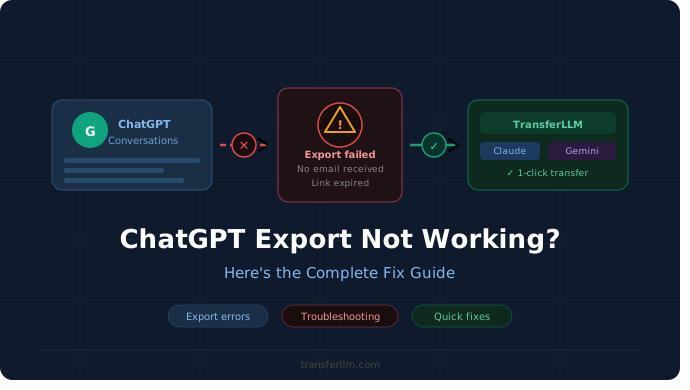

You made the switch to Claude. You felt confident about it. Then you opened your first session and saw broken text, lost context, and formatting that looked completely wrong.
Sound familiar? You are not alone in this.
Thousands of users run into ChatGPT to Claude issues every single week. Some lose hours of carefully built work. Others lose entire prompt chains they spent weeks refining.
The frustration is real. But the good news is that every single one of these problems has a fix.
This guide covers exactly what goes wrong, why it happens, and how to solve it step by step.
Common Problems When Moving From ChatGPT to Claude
Knowing the exact problem makes fixing it much easier. Here are the most common ChatGPT to Claude issues users face during a transfer.
1. Formatting Falls Apart
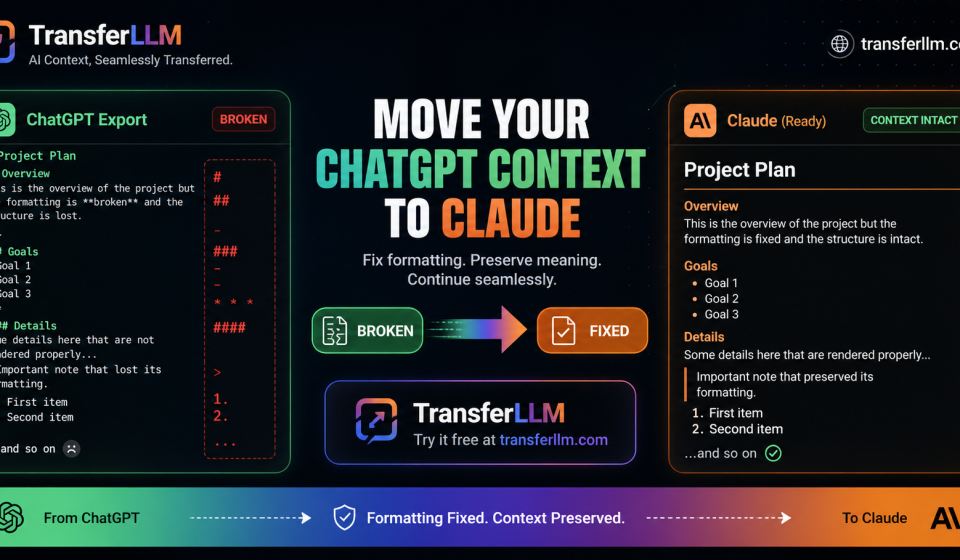
ChatGPT and Claude handle markdown very differently. When you paste content across platforms, things break fast. Headers turn into hash symbols.
Bullet points vanish completely. Bold text shows up as raw asterisks. Tables lose their columns and become unreadable blocks of text.
This is the first issue users notice. It is visible, immediate, and deeply frustrating when you need clean output right away.
2. Context Gets Lost
Claude has no access to your ChatGPT conversation history. Every project thread, preference, and instruction you built over time simply disappears without warning.
You start completely from scratch inside Claude. Weeks of context gone in seconds.
Context loss is the hidden cost of AI migration. Most users do not realize how much they relied on that built-up history until it is gone entirely.
3. Prompt Style Mismatch
Prompts that worked perfectly inside ChatGPT often produce flat, off-target results in Claude. The two models are built differently and process language in distinct ways.
A sharp, precise prompt in ChatGPT can feel blunt and vague in Claude. The outputs feel generic even when your instructions seem clear.
Most users blame their own writing. The real issue is structural, not personal. Your prompts just need slight adjustments for Claude’s logic.
4. Custom Instruction Loss
ChatGPT lets users set custom instructions that automatically shape every single conversation. Those settings do not transfer to Claude at all.
Claude has its own system for handling this. But it does not import your existing ChatGPT preferences or instructions automatically.
You end up rewriting everything from scratch. That is time most users simply cannot afford to lose on a busy workday.
5. Conversation History Gaps
Many users want to continue ongoing projects inside Claude after switching. But there is no clean path to bring ChatGPT conversation history across platforms.
You end up copying and pasting manually. Structure breaks. Key details get lost. Entire threads become disorganized and hard to follow.
6. Tone and Output Inconsistency
Claude produces a different default tone compared to ChatGPT. If your workflow depends on consistent voice or style, this becomes a real problem quickly.
Responses feel off. The writing sounds different. Outputs that matched your brand in ChatGPT suddenly need heavy editing inside Claude before they are usable.
Why These Transfer Errors Happen
The root causes make complete sense once you understand how these platforms are actually built.
Different Data Architectures
OpenAI and Anthropic store conversation data in completely separate cloud systems. There is no bridge between them by default.
Moving content manually is like translating between two different languages with no dictionary available. Something always gets lost in that process.
Markdown Handling Differences
Both tools support markdown but interpret it using different rendering logic. A simple nested bullet or line break behaves differently across the two platforms.
Without a proper conversion layer between them, formatting issues are nearly guaranteed every single time you move content across.
No Shared Memory Layer
Claude cannot read your OpenAI conversation logs. ChatGPT cannot access your Claude history. This isolation exists by design at the architecture level.
Context loss is not a bug. It is a structural reality of how both platforms were built to operate independently of each other.
Prompt Engineering Differences
Claude was trained with a strong focus on nuanced instruction-following and careful reasoning. ChatGPT follows entirely different behavioral patterns based on its own training approach.
The same prompt produces different results in each model. Neither tool is wrong. They were simply built with different priorities and internal logic from day one.
No Native Export-Import Tool
Neither OpenAI nor Anthropic offers a direct tool to export ChatGPT data and import it cleanly into Claude with full formatting and context preserved.
Users are left to handle migration themselves. That leads to inconsistent results, missed context, and hours of unnecessary manual work every single time.
Fix Methods: How to Solve ChatGPT to Claude Issues
Here are the most effective and practical fixes you can apply starting right now.
Fix 1: Clean Formatting Before You Transfer
Strip complex markdown before moving any content from ChatGPT. Use plain text as your base layer first. Then reapply formatting inside Claude using its own native style.
It takes extra time upfront. But it prevents most formatting chaos before it even starts.
Fix 2: Rebuild Context With a Summary Prompt
Write a clear, detailed project summary before starting any new Claude session. Include your goals, tone preferences, project background, and key decisions already made.
Paste this summary at the very start of every session. Save a master version so you never rewrite it from scratch again.
This is the most effective manual fix for context loss currently available.
Fix 3: Adapt Your Prompts for Claude
Take your best ChatGPT prompts and rewrite them slightly for Claude’s logic. Claude responds best to direct, clear, and specific instructions with a defined role upfront.
Treat your old prompts as rough drafts. Refine them for Claude rather than expecting them to work exactly as written.
Fix 4: Use Claude’s System Prompt Feature
Claude fully supports system prompts at the start of every conversation. Use this feature to replace the custom instructions you relied on inside ChatGPT.
Cover your tone, style, output format, and any recurring project details. This dramatically reduces friction at the start of every new Claude session.
Fix 5: Organize Your Exports Before Migrating
ChatGPT allows full data export from the account settings panel. Do this before you fully commit to switching platforms.
Review the exported files carefully. Pull out key decisions, frameworks, and important outputs. Turn them into structured reference documents you can use inside Claude going forward.
It is a manual process. But it gives your entire migration a clear structure and saves significant time later.
Fix 6: Test Claude With Small Projects First
Do not migrate your most critical workflows immediately. Start with smaller, lower-stakes projects to understand how Claude handles your specific content and style.
Use those early sessions to fine-tune your system prompts and context summaries. Build confidence before transferring your most important work across.
The Tool Solution: ChatGPT2Claude by TransferLLM
Manual fixes absolutely help. But they still take significant time and leave room for errors. If you want a faster and cleaner migration, there is a dedicated tool built for this exact problem.
ChatGPT2Claude by TransferLLM: handles the complete migration process in one streamlined place. It eliminates formatting issues, context loss, and prompt mismatches without any manual cleanup required from you.
Preserves Formatting Automatically: ChatGPT2Claude converts your ChatGPT content directly into Claude-compatible formatting. Headers, bullet points, tables, and nested lists all transfer cleanly. You fix nothing by hand.
Transfers Context Without Loss: The tool captures full conversation context from ChatGPT and restructures it in a format Claude understands immediately. Your project history, instructions, and key threads carry over completely intact.
Adapts Prompts for Claude’s Logic: ChatGPT2Claude does not just move your text across. It intelligently reformats your existing prompts to align with how Claude processes and responds to instructions natively.
You get sharper, more accurate Claude responses right away. No prompt rewriting. No guesswork. No wasted sessions figuring out what works.
Handles Bulk Transfers: Have months or even years of ChatGPT conversations you need to bring across? ChatGPT2Claude manages large volumes cleanly and systematically.
No file-by-file management. No missed threads. Everything transfers together in one organized process that saves enormous amounts of time.
Saves Time at Scale For individual users, ChatGPT2Claude removes hours of manual cleanup and reformatting. For teams managing AI workflows across multiple users, those savings multiply extremely fast.
Every team member gets a clean, fully structured Claude environment. Nobody starts from zero. Productivity stays intact from day one of the migration.
TransferLLM built ChatGPT2Claude specifically for users who take their AI workflow seriously and refuse to lose what they spent months building inside ChatGPT.
Related Guide: How to Transfer ChatGPT Conversations to Claude
Make the Switch Without Losing Your Work
ChatGPT to Claude issues are real and common. Formatting breaks because the platforms handle markdown differently. Context disappears because no shared memory exists between them.
Prompts fall flat because the two models process language using completely different internal logic. None of this is your fault.
Manual fixes work well. Cleaning formatting before transfer, rebuilding context with summary prompts, and adapting your prompts for Claude all produce solid results with consistent effort.
But manual fixes cost time. They still leave gaps. And for users with large existing workflows, the manual approach becomes unsustainable very quickly.
If you want a complete, fast, and fully clean migration without losing a single piece of your work, the answer is clear.
👉 Fix ChatGPT to Claude issues using TransferLLM. Try ChatGPT2Claude today and move your entire ChatGPT workflow to Claude without losing context, formatting, or the work you spent months building.
Your work took real time and effort to build. Make absolutely sure it follows you.