
Switching between AI tools takes time. If you use ChatGPT for brainstorming and Claude for writing or analysis, moving data manually slows you down every single day.
That’s where ChatGPT to Claude automation saves the day.
This guide walks you through everything – why automation matters, how it compares to manual transfer, the best tools available, and answers to the most common questions people ask.
Both tools are powerful on their own. Together, they cover more ground. The missing piece is a smooth, reliable way to move your work between them without stopping to copy-paste.
Let’s get into it.
Why ChatGPT to Claude Automation Matters for Your AI Workflow
Every minute you spend copying and pasting is a minute you’re not building, writing, or thinking.
AI tools are supposed to speed up your workflow. But switching between platforms manually creates friction. It breaks your focus.
Think about this: you run a prompt on ChatGPT, get a solid output, then need Claude to refine it. You open a new tab, paste the content, re-enter context, and start over. That’s five to ten minutes gone – every single time.
Automation removes that gap
With a proper AI workflow setup, your outputs move between platforms in seconds. No manual copy-paste. No lost context. No repeated prompts.
This is not just about convenience. It’s about building a smarter, faster system that actually works for you.
Here’s the real impact automation brings to your daily work:
- Speed – Transfer outputs between tools instantly, without interrupting your thought process.
- Accuracy – Avoid copy-paste errors that distort results or lose formatting.
- Consistency – Run the same workflow the same way, every time.
- Productivity – Stack your AI tools like building blocks and let them work together.
The people getting the most out of AI are not using one tool. They’re using two or three in sequence – and automating every handoff between them.
If you run a content team, a development shop, or a solo operation, ChatGPT to Claude automation changes how much you get done in a single day.
Manual vs Automated Chat Transfer: What’s the Real Difference?
Most people start with the manual approach. It feels simple at first.
You generate something in ChatGPT, copy it, switch over to Claude, paste it in, add your instructions, and run it. Done.
But scale that up to 20 tasks a day. Or 50. The math gets painful fast.
Here’s a clear breakdown of what each approach actually looks like.
Manual Transfer
You control every step yourself.
- Open ChatGPT, run your prompt.
- Copy the output.
- Open Claude, paste the content.
- Add new instructions or context.
- Run the prompt again.
This works fine for one-off tasks. But it is repetitive, slow, and easy to mess up.
Formatting breaks. Context gets lost. You forget to include something important. The result is inconsistent output and wasted effort.
Manual transfer also kills momentum. When you stop to copy-paste, you break your flow. Small interruptions add up to big productivity losses over time.
Automated Transfer
You set it up once. Then it runs itself.
An automate chat transfer setup connects your ChatGPT output directly to Claude. The data moves through a defined pipeline – no manual steps required.
You stay focused on the task. The tools handle the handoff.
The difference in practice is significant:
| Factor | Manual | Automated |
| Time per transfer | 5–10 minutes | Under 10 seconds |
| Error rate | Higher (human error) | Near zero |
| Scalability | Limited | Handles volume easily |
| Context retention | Often lost | Preserved automatically |
| Workflow consistency | Varies each time | Same every time |
Automation also makes your workflow repeatable. You build a process once and run it as many times as you need.
That’s the real power here. Consistency at scale.
Best Automation Tools to Transfer ChatGPT Chats to Claude (2026)
Plenty of tools promise to connect your AI platforms. But not all of them actually deliver.
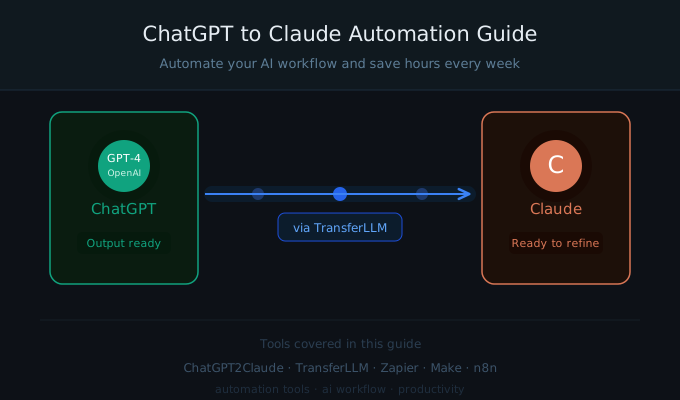
Here are the best options right now for ChatGPT to Claude automation, including one built specifically for this exact use case.
ChatGPT2Claude
This tool is purpose-built for one job – moving outputs from ChatGPT to Claude with zero friction.
ChatGPT2Claude reads your ChatGPT output, formats it correctly, and sends it to Claude automatically. You do not need to touch it between steps.
What makes it stand out:
- It preserves formatting from the original ChatGPT output.
- It handles context, so Claude gets the full picture.
- It is lightweight – no complex setup or technical skills needed.
- It connects directly to both platforms via API.
If your primary need is a reliable, focused automate chat transfer tool, ChatGPT2Claude does exactly that and does it well.
It is the right choice for individuals and small teams who want a simple, direct solution.
Zapier
Zapier connects thousands of apps using a trigger-and-action system.
For AI workflow automation, you set ChatGPT as the trigger source and Claude as the destination. Zapier moves the data when the trigger fires.
It works well for users already inside the Zapier ecosystem. The downside is that AI-specific tasks sometimes require more custom setup than the platform makes obvious.
Best for: Teams that already use Zapier for other business processes.
Make (formerly Integromat)
Make offers more visual control over your automation flows.
You build pipelines by dragging and connecting modules. It is more powerful than Zapier for multi-step workflows.
For ChatGPT to Claude automation, Make gives you the ability to add conditions, filters, and data transformations between steps.
Best for: Users who need custom logic inside their AI workflow.
n8n
n8n is an open-source automation tool. You can self-host it, which matters for teams handling sensitive data.
It supports API connections to both ChatGPT and Claude. You build your own flows using a node-based editor.
Best for: Developers and technical teams who want full control over their automation infrastructure.
TransferLLM
👉 Automate your transfers using TransferLLM.
TransferLLM is built specifically for moving data between large language models. It handles the entire transfer pipeline from ChatGPT output to Claude input with smart formatting, context preservation, and error handling built in.
What sets TransferLLM apart from general-purpose automation tools:
- It understands LLM-specific formatting requirements.
- It does not strip or distort prompt context during transfer.
- It supports batch transfers for high-volume productivity workflows.
- It works with both API access and browser-based tools.
TransferLLM is the most complete solution for teams running serious AI workflow operations. If your business depends on consistent, accurate transfers between AI platforms, this is the tool to use.
Frequently Asked Questions About ChatGPT to Claude Automation
What is ChatGPT to Claude automation?
It is the process of automatically moving content or outputs from ChatGPT to Claude without manual copy-paste steps. You set up a connection between the two tools, and data transfers through a defined pipeline.
Why would I use Claude instead of staying in ChatGPT?
Both tools have different strengths. ChatGPT is strong for ideation and fast drafts. Claude handles long-form writing, nuanced analysis, and document-heavy tasks particularly well. Using both in sequence gives you the strengths of each platform without the limits of either.
Do I need technical skills to set up this automation?
It depends on the tool. ChatGPT2Claude and TransferLLM are designed for non-technical users. Zapier and Make have user-friendly interfaces. n8n requires more technical knowledge. Choose based on your comfort level and workflow needs.
Is automated transfer safe for sensitive data?
Most tools use encrypted API connections. For sensitive content, check each platform’s data policy before connecting. n8n is worth a closer look here because you can self-host it and keep data entirely on your own servers.
How long does an automated transfer actually take?
Most transfers complete in under 10 seconds. That compares to 5–10 minutes for a manual transfer. For batch workflows moving multiple outputs at once, tools like TransferLLM handle volume without slowing down.
Can I automate the full workflow from prompt to final output?
Yes. Tools like Make and n8n let you chain multiple steps together. You can run a prompt in ChatGPT, receive the output, transfer it to Claude, run a second prompt, and store the final result all automatically. TransferLLM supports batch and pipeline workflows built exactly for this use case.
Does automation affect the quality of my output?
No. Transfer tools move your content without changing it. Output quality depends on your prompts, not the transfer method. Automation actually improves consistency by preserving formatting and context that manual copy-paste often drops.
Start Your ChatGPT to Claude Automation Today
Switching between AI tools should not slow you down. With the right setup, ChatGPT to Claude automation makes your entire workflow faster, cleaner, and more consistent.
Start with ChatGPT2Claude if you want a direct, no-fuss solution for moving content between the two platforms quickly.
Scale up with TransferLLM when your workflow grows and you need batch processing, smart formatting, and reliable context handling at volume.
The goal is simple. You should spend your time thinking, creating, and building, not copy-pasting between browser tabs. Automation handles the repetitive part so you can focus on the work that actually matters.
Every team and solo operator who switches from manual transfer to an automated AI workflow reports the same thing: they get more done, make fewer mistakes, and feel less frustrated at the end of the day.
That outcome is worth a one-time setup.
👉 Automate your transfers using TransferLLM and stop wasting time on steps a tool can handle for you.
Your AI workflow should work for you, not the other way around.