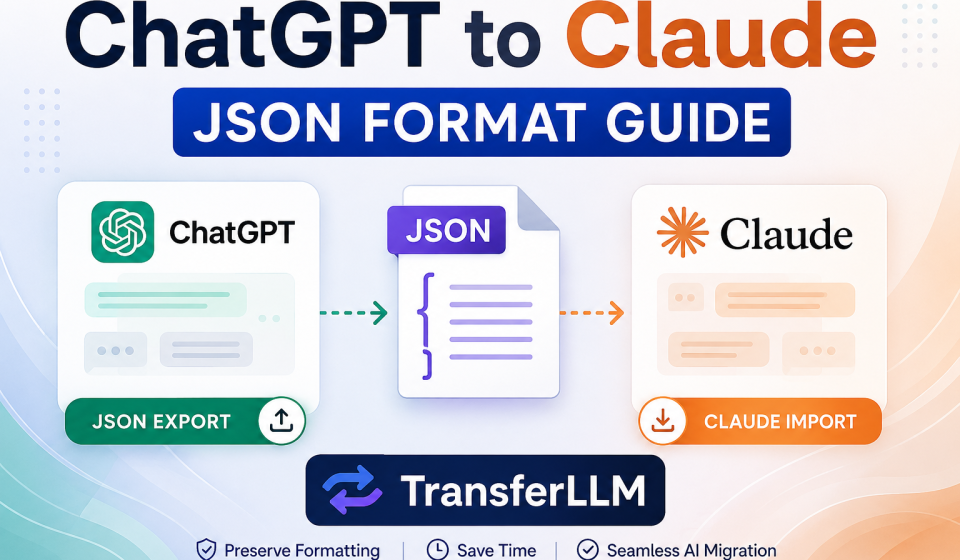

More people are switching between AI platforms today than ever before. You start a project in ChatGPT, build hours of context, and then want to continue it in Claude. But moving that conversation is not always clean or simple.
The ChatGPT JSON format is the key to making that move work. It holds your entire conversation prompts, structure, metadata, and message order in a way that other formats simply cannot.
This guide walks you through everything. How to export, how to import, what goes wrong, and how to fix it fast.
What Is ChatGPT JSON Format?
Understanding JSON Export
JSON stands for JavaScript Object Notation. It is a lightweight text format that organizes data using keys and values.
When you export a conversation from ChatGPT, it saves as a structured JSON file. That file contains your messages, timestamps, roles (user vs. assistant), and conversation hierarchy.
Think of it as a blueprint of your entire chat. Every prompt has a place. Every response connects to the right thread.
Why JSON Matters for AI Chat Transfers
JSON preserves the exact structure of your AI conversation. Plain text does not do that. It strips away formatting, breaks code blocks, and loses the back-and-forth flow.
With the ChatGPT JSON format, you keep the message order intact. You protect your AI workflow backup. And you give Claude a clean, structured file to work with.
This matters most for long projects. Researchers, developers, and writers who build on top of previous prompts cannot afford to lose that chain.
Why Users Need ChatGPT JSON Format for Claude
Benefits of Importing JSON Into Claude
The biggest benefit is continuity. You pick up exactly where you left off without restarting prompts from scratch.
Context is preserved. Claude understands the flow of your prior conversation because the JSON file carries that structure into the new session.
It also saves real time. Instead of re-explaining your project, your AI already has the background. You move forward, not backward.
Common Use Cases
Content writers use JSON exports to migrate ongoing editorial workflows. Developers transfer coding projects with multi-turn debugging threads. Researchers archive complex analysis conversations for future reference.
Prompt engineers especially rely on JSON. They build detailed prompt structures over many sessions. Losing that hierarchy means starting over entirely.
How to Export ChatGPT Conversations in JSON Format
Step-by-Step Export Process
The process is straightforward. Follow these steps carefully.
- Open ChatGPT and go to Settings
- Click on Data Controls
- Select Export Data
- Confirm your request. ChatGPT emails you a download link
- Download the ZIP file from the email
- Extract the ZIP and locate the conversations.json file
That JSON file contains your full ChatGPT export file history.
What’s Included in the Export File
Your export includes chat history, full prompt structure, message metadata, timestamps, and any file attachments linked during the conversation.
The conversation data format organizes everything hierarchically. Parent messages connect to child responses. This is what makes structured imports possible.
How to Import ChatGPT JSON Into Claude
Manual Import Method
You can manually copy content from your JSON file and paste it into Claude. But this approach has real limits.
Formatting breaks. Code blocks lose indentation. Long message chains get jumbled. Claude may not recognize the original conversation structure at all.
Manual imports work for short, simple conversations. For anything complex, they create more problems than they solve.
Using TransferLLM for Faster Claude Imports
TransferLLM handles the conversion automatically. It reads your ChatGPT JSON format file and restructures it for clean Claude imports.
The tool preserves formatting, keeps code blocks intact, and maintains conversation hierarchy. You get a cleaner result in far less time.
For anyone managing ongoing AI workflows, TransferLLM removes the friction entirely. The import lands cleanly inside Claude without broken structures or missing context.
Common ChatGPT JSON Format Problems
Invalid JSON Structure
Sometimes exports arrive with corrupted data. Broken brackets, missing closing tags, or incomplete conversation nodes make the file unreadable.
This usually happens with very large exports or interrupted downloads. Always re-download if something looks off.
Claude Import Formatting Issues
Even a valid ChatGPT JSON format file can cause Claude import errors. The most common problems are line break mismatches, corrupted code blocks, and broken prompt hierarchies.
Claude reads structure differently than ChatGPT generates it. Small formatting gaps can cause big display problems on the receiving end.
File Size Limitations
Long conversation exports can exceed size limits on certain platforms. A two-year-long coding project might generate a JSON file too large to process in one pass.
The solution is to split the export. Divide your conversation history into smaller segments before attempting the import. Most tools support batch imports for exactly this reason.
Best Practices for Clean JSON Transfers
Organize Conversations Before Export
Before you request an export, clean up your ChatGPT workspace. Delete unneeded chats. Rename important projects with clear titles.
A leaner export is a cleaner export. This reduces file size and makes it easier to locate the specific conversations you actually need.
Validate JSON Files
Run your export through a JSON validator before importing it anywhere. Free online tools like JSONLint check structure instantly.
A valid file saves time. A corrupted file wastes it. This one step catches problems before they snowball.
Preserve Prompt Structure
Do not manually edit your JSON file unless you are confident in the syntax. One misplaced comma or bracket breaks the entire file.
Keep the message hierarchy intact. The AI conversation structure inside your JSON is what makes Claude imports work correctly. Protect it.
ChatGPT JSON Format vs Other Export Formats
JSON vs TXT
TXT files are plain and simple. They strip away all structure. Message roles, timestamps, and conversation hierarchy all disappear.
JSON keeps all of that. It is the clear choice when structure matters.
JSON vs Markdown
Markdown handles formatting better than TXT. Headers, bullet points, and code blocks survive. But metadata does not.
JSON carries both. It holds the visual formatting and the underlying data. For AI workflow continuity, that combination is hard to beat.
Which Format Works Best for Claude?
For simple reads, Markdown works fine. For transferring full AI workflows, ChatGPT JSON format is the better option.
JSON supports deeper prompt structures. It handles multi-turn conversations. And it gives Claude the context it needs to pick up a project mid-stream.
Tools That Help With ChatGPT JSON Migration
TransferLLM
TransferLLM is purpose-built for AI chat migration. It handles ChatGPT JSON format conversions cleanly and outputs files ready for Claude.
Key strengths include preserved formatting, accurate conversation mapping, and support for large export files. It removes manual work from the process entirely.
For anyone doing this regularly, it is the most reliable option on the market right now.
Other Helpful Utilities
JSON validators catch structural errors before they cause import failures. Markdown converters help when you need a readable version alongside the structured file.
AI conversation organizers help sort and label exports before transfer. These tools work well in combination with TransferLLM for complex migration projects.
Future of AI Conversation Portability
Growing Need for AI Workflow Compatibility
Cross-platform AI usage is growing fast. People use ChatGPT, Claude, Gemini, and others sometimes within the same project.
That creates real demand for portable conversation history. Users want their prompts, context, and workflows to travel with them, regardless of which AI they open next.
Standardized AI Export Formats
Right now, each platform handles exports differently. There is no universal standard. That creates friction every time someone migrates a conversation.
The industry is moving toward better interoperability. Standardized export formats could make transfers seamless within a few years. Until then, tools like TransferLLM bridge the gap.
People Also Ask
1. How Do I Export ChatGPT Conversations in JSON Format?
Go to ChatGPT Settings → Data Controls → Export Data. ChatGPT emails you a download link.
Open the ZIP file and find conversations.json. That file holds your full chat history in structured ChatGPT JSON format.
2. Can Claude Import ChatGPT JSON Files?
Claude has no built-in JSON import feature. You can paste content manually, but formatting often breaks.
A better option is TransferLLM. It converts your ChatGPT JSON format into a clean, Claude-ready structure automatically.
3. What Is the Best Format for Transferring AI Chats?
JSON is the best choice for structured transfers. It preserves message order, metadata, and conversation hierarchy.
Markdown handles formatting but drops data. TXT loses everything. For multi-turn projects, JSON gives Claude the most complete picture.
4. Why Does Claude Break JSON Formatting?
ChatGPT and Claude use different structural schemas. A raw JSON file does not map directly to Claude’s input format.
This causes broken code blocks and lost message hierarchy. A conversion tool like TransferLLM fixes the mismatch before import.
5. How Can I Preserve ChatGPT Conversation Structure?
Export cleanly, validate the file with JSONLint, and avoid manual edits.
Use a migration tool for the actual transfer. It keeps the prompt chain and message hierarchy intact inside Claude.
6. What Tools Help Convert ChatGPT Exports for Claude?
TransferLLM is the most complete option. It handles conversion, formatting, and large file sizes in one step.
Supporting tools include JSONLint for validation and Markdown converters for readable backups.
7. Is JSON Better Than Markdown for AI Chat Migration?
Yes, for complex projects. JSON carries metadata, message roles, and conversation structure. Markdown only handles visual formatting.
Use Markdown for simple reads. Use JSON when full context and prompt hierarchy both matter.
8. How Do I Fix Invalid ChatGPT JSON Files?
Run the file through JSONLint. It pinpoints broken brackets, missing commas, and corrupted nodes instantly.
If errors persist, re-download the export. For large files, split the history into smaller segments before importing.
Conclusion
The ChatGPT JSON format is more than a file type. It is the structure that holds your entire AI workflow together.
When you move conversations between platforms, that structure is everything. It keeps your context, your prompts, and your message history exactly as you built them.
Export cleanly. Validate your file. Use reliable tools like TransferLLM for the actual transfer.
Skipping steps costs time. Doing it right the first time means you land in Claude with everything intact and ready to move forward.
👉 Need a faster way to move your ChatGPT conversations to Claude? TransferLLM handles the heavy lifting so your workflow stays clean from start to finish.