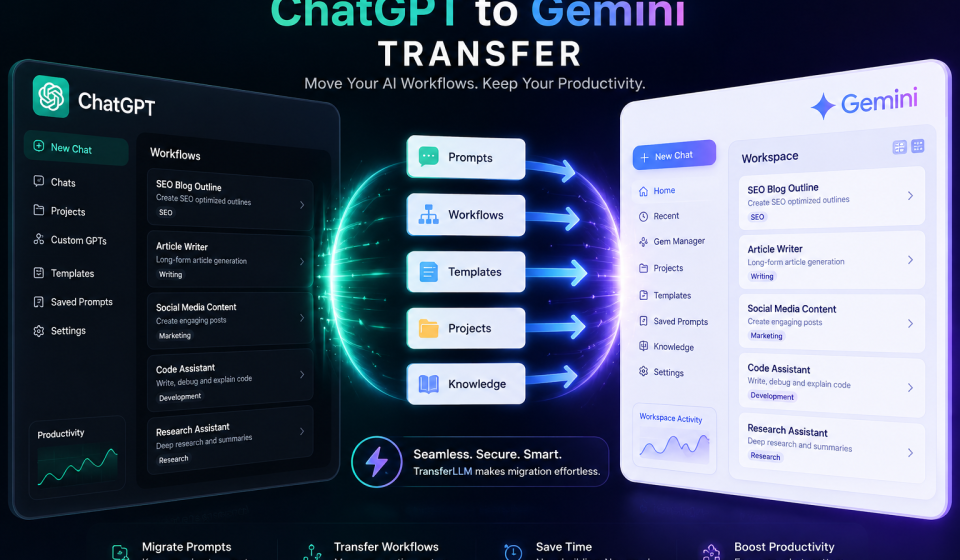

Switching AI tools used to mean starting from scratch. Today, users move between platforms like ChatGPT and Gemini regularly, and they expect their workflows to follow them.
The ChatGPT to Gemini transfer process is not as simple as copy-pasting prompts. Prompts are built around how a specific model thinks. Moving them requires planning, testing, and the right tools.
This guide walks you through every step. You will learn how to migrate your prompts, preserve your productivity, and use TransferLLM to make the entire process smoother.
Why Users Are Moving from ChatGPT to Gemini
Switching AI tools is not just a trend. It’s a smart business decision for many users.
Growth of Multi-AI Workflows
Teams no longer rely on a single AI tool. They use multiple platforms based on the task at hand.
Gemini fits naturally into Google Workspace. It connects with Docs, Sheets, and Gmail. That alone makes it appealing for teams already inside the Google ecosystem.
Multi-platform AI usage is growing fast. Users want flexibility, not dependency.
Benefits of Gemini Integration
Gemini offers strong real-time search, deep Google integration, and impressive multimodal support.
For SEO professionals and content creators, those features matter. Gemini pulls live data. It understands context across long documents. It handles research faster in many cases.
If your workflow lives inside Google tools, switching makes practical sense.
Common Workflow Migration Challenges
The biggest pain point? Prompts that worked perfectly in ChatGPT often produce weaker results in Gemini.
Each AI platform has a different instruction set, memory style, and output format. Direct copy-paste rarely works well. You need to adapt your prompts, not just move them.
That’s where planning and the right tools make all the difference.
What to Prepare Before the Transfer
Good preparation prevents frustration. Before you migrate a single prompt, do this first.
Export Important ChatGPT Prompts
Go through your ChatGPT history. Save every prompt that delivers consistent, high-quality results.
Copy them into a Google Doc or Notion page. Label each one clearly: content writing, SEO, research, coding. Organization now saves hours later.
Don’t skip weak prompts either. Sometimes a small rewrite turns a mediocre ChatGPT prompt into a strong Gemini one.
Organize Existing AI Workflows
Map out how you currently use ChatGPT. What tasks does it handle daily? What outputs do you rely on?
Group your workflows into categories. Content creation, keyword research, code review, summarization each group needs its own migration strategy.
A clear picture of your current AI workflow makes the transfer systematic, not chaotic.
Identify Platform-Specific Features
Some ChatGPT features do not exist in Gemini, and vice versa.
ChatGPT has custom GPTs and a strong plugin ecosystem. Gemini has deep Google Search grounding and better Workspace integration.
Know what you’re gaining. Know what you’re leaving behind. That clarity helps you build smarter workflows on the new platform.
Step-by-Step ChatGPT to Gemini Transfer Process
Here’s how to move prompts from ChatGPT to Gemini without losing quality.
Step 1: Audit Existing Prompts
Review every saved prompt. Rate each one: high value, medium value, or low value.
High-value prompts go first. These are the ones driving real output in your workflow right now.
Step 2: Rewrite Prompts for Gemini
Gemini responds better to direct, specific instructions. It prefers context upfront.
Where ChatGPT handles vague prompts reasonably well, Gemini rewards precision. Add role context, output format, and specific constraints to each prompt.
That structure works much better in Gemini.
Step 3: Test Prompt Compatibility
Run each rewritten prompt in Gemini. Compare the output to what ChatGPT produced.
Look at structure, tone, depth, and accuracy. Does Gemini match or beat the original? If not, refine the instruction layer again.
Test at least three variations per core prompt before finalizing.
Step 4: Organize Workflows in Gemini
Gemini Gems (custom AI personas) work like ChatGPT’s custom GPTs. Set them up for each major workflow.
Create separate Gems for content writing, SEO research, and code review. Each one holds context and instructions specific to that task.
This prevents you from re-entering instructions every session.
Step 5: Optimize Using TransferLLM
TransferLLM simplifies the AI workflow transfer between ChatGPT and Gemini. It stores, formats, and ports your prompts across platforms.
Instead of manual rewrites for every prompt, TransferLLM handles prompt compatibility checks automatically. It reduces the time you spend on migration from days to hours.
Use it to build a centralized prompt library accessible across multiple AI tools.
ChatGPT vs Gemini Workflow Comparison
Both platforms are powerful. But they shine in different areas.
Content Writing Performance
ChatGPT produces highly structured long-form content. It follows detailed outlines well and handles creative variation smoothly.
Gemini excels at content grounded in current information. It pulls live data into its responses, which helps for trending topics and news-adjacent content.
For evergreen content, both perform well. For real-time content, Gemini has an edge.
SEO Workflow Capabilities
Gemini integrates directly with Google Search. That makes it a strong option for ChatGPT to Gemini content workflow tasks involving keyword research and SERP analysis.
ChatGPT with web browsing also handles SEO tasks effectively. But Gemini’s native Google connection feels more seamless for search-focused professionals.
Research and Accuracy
Gemini pulls from live sources. It cites information more consistently in research contexts.
ChatGPT’s knowledge cutoff is a known limitation for time-sensitive research. Gemini reduces that gap significantly.
Coding Assistance
ChatGPT remains the stronger coding assistant for most developers. It handles complex debugging, multi-file context, and code explanation with high accuracy.
Gemini is improving fast in this area. For simple scripts and Google Apps Script, it performs well.
Productivity Features
Speed Comparison
Both tools respond quickly. Gemini tends to be faster for shorter outputs. ChatGPT holds up better on long, structured documents.
Context Understanding
Gemini handles longer context windows effectively. It reads large documents and maintains relevance across a full file.
ChatGPT handles context well too, but Gemini’s document-level understanding is a practical advantage for research-heavy workflows.
Long-Form Content Quality
ChatGPT produces more consistent long-form output structure. Gemini is catching up, particularly with detailed prompt instructions.
Best Practices for Smooth AI Workflow Migration
A clean migration follows a few simple rules.
Use Universal Prompt Structures
Build prompts that work across platforms. Use clear role definitions, output format instructions, and explicit constraints.
Universal prompt structures reduce the need for major rewrites when you switch tools.
Build Modular Prompt Systems
Break large prompts into smaller, reusable components. A role block, a context block, an output format block.
Modular systems are easier to update, test, and port across platforms.
Maintain Prompt Documentation
Keep a running document of all active prompts. Note which platform each is optimized for, and what results to expect.
Good documentation makes future migrations to any platform much faster.
Optimize Outputs Continuously
Don’t treat prompts as finished products. Test them regularly. Update them as the platform evolves.
Both ChatGPT and Gemini release updates that change output behavior. Staying current protects your workflow quality.
Common Mistakes When Switching to Gemini
Avoid these errors during your ChatGPT to Gemini workflow migration.
Copy-Pasting Without Optimization
This is the most common mistake. A prompt tuned for ChatGPT will often produce flat, generic results in Gemini.
Always rewrite. Even small changes to instruction structure make a big difference.
Ignoring Context Differences
ChatGPT holds memory differently than Gemini. Session context, custom instructions, and memory features work differently on each platform.
Understand how Gemini handles context before building complex workflows that depend on it.
Not Testing Output Quality
Many users migrate prompts and assume they work. Testing is non-negotiable.
Run each prompt through multiple scenarios. Compare outputs. Only finalize prompts that consistently deliver the quality you need.
Poor Workflow Organization
Dumping all prompts into one place without structure causes long-term problems.
Use folders, tags, or a tool like TransferLLM to keep your prompt library clean and searchable from day one.
How TransferLLM Simplifies ChatGPT to Gemini Migration
TransferLLM is built specifically for AI workflow transfer between platforms like ChatGPT and Gemini.
Prompt Portability
TransferLLM stores your prompts in a format that travels across AI platforms. No manual reformatting. No lost context.
It’s the best tool for ChatGPT to Gemini transfer for users managing large prompt libraries.
Faster Workflow Management
Instead of hunting through chat history for your best prompts, TransferLLM gives you a centralized, searchable library.
You can access, edit, and deploy prompts across platforms in seconds.
AI Workflow Scaling
As your AI usage grows, managing prompts manually becomes unworkable. TransferLLM scales with you.
It supports team sharing, prompt versioning, and cross-platform compatibility checks, features that matter as workflows grow complex.
Productivity Benefits for Teams
Teams using multiple AI tools waste time on redundant prompt development. TransferLLM eliminates that waste.
One shared library. Every team member pulls from the same optimized prompt set. Consistency improves across the board.
Who Should Switch from ChatGPT to Gemini?
Not everyone needs to switch fully. But these groups gain the most from Gemini.
Content Creators
If you produce content around current events, trending topics, or news-adjacent themes, Gemini’s live data access is a real advantage.
SEO Professionals
Gemini’s Google Search integration makes it a natural fit for keyword research, SERP analysis, and search-focused content planning.
Developers
For Google Apps Script, Workspace automation, and Google Cloud integration, Gemini is the stronger choice.
Agencies
Agencies managing multiple clients across platforms benefit most from tools like TransferLLM. A unified prompt library cuts onboarding time and improves output consistency.
Students and Researchers
Gemini’s ability to pull current, cited sources makes it stronger for academic research tasks that require up-to-date information.
Final Thoughts
Future of Multi-AI Workflows
The future is not ChatGPT or Gemini, it’s both and more. Smart users will move between platforms based on the task, not habit.
Multi-platform AI usage will become standard in professional workflows within the next few years.
Importance of Workflow Flexibility
Locking into one AI platform is a strategic risk. Platforms evolve. Pricing changes. New tools emerge.
Building flexible, portable workflows protects your productivity regardless of which AI tool leads the market next year.
Why TransferLLM Helps Reduce Migration Friction
The biggest barrier to switching AI platforms is the time cost of rebuilding prompts and workflows.
TransferLLM removes that barrier. It makes AI prompt migration fast, organized, and repeatable so you can switch platforms confidently whenever it makes sense.
FAQ
Can I transfer ChatGPT prompts directly to Gemini?
Yes, but not without edits. ChatGPT prompts need rewrites to perform well in Gemini. The instruction style and context handling differ enough that direct copy-paste usually produces weaker results.
Will ChatGPT prompts work the same in Gemini?
Rarely. Each platform has a different response style. Prompts optimized for one AI need adjustment for another. Testing and iteration are essential after any transfer.
What is the best tool for ChatGPT to Gemini transfer?
TransferLLM is designed specifically for this use case. It manages prompt portability, cross-platform compatibility, and team-level workflow sharing — making it the top choice for structured AI workflow migration.
Is Gemini better than ChatGPT for SEO workflows?
For search-grounded SEO tasks, Gemini has an edge due to its Google integration. For long-form SEO content creation, ChatGPT remains competitive. Many SEO professionals use both tools strategically.
How do I organize prompts across multiple AI tools?
Build a centralized prompt library using a tool like TransferLLM or a well-structured document system. Categorize by use case, label platform compatibility, and review regularly as platforms update.
Can businesses use ChatGPT and Gemini together?
Absolutely. Many teams use ChatGPT for creative and coding tasks while relying on Gemini for research and Google Workspace automation. A multi-AI strategy often outperforms reliance on a single platform.