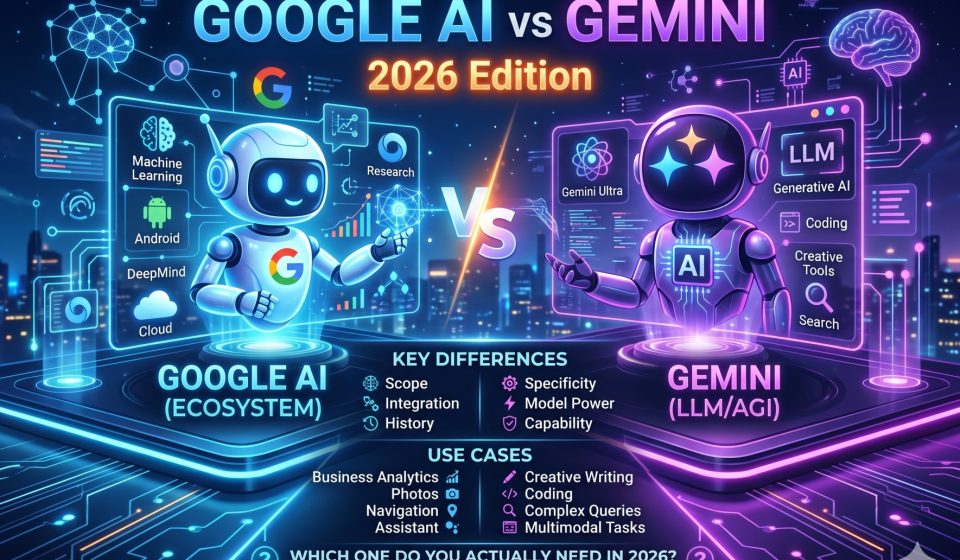

Google AI vs Gemini: Key Differences, Use Cases, and Which One You Actually Need in 2026
If you have searched “Google AI vs Gemini” and found yourself more confused after reading five different explanations, you are not alone. Google has released several AI products under overlapping names, and the terminology changed multiple times between 2023 and 2026. This guide cuts through the branding confusion and explains exactly what Google AI Studio and Google Gemini are, how they differ, and which one belongs in your workflow.
The Core Confusion: Why People Mix Up Google AI Products
The confusion has a straightforward cause. Google has built its AI product lineup on a single underlying model family called Gemini, but it has packaged that technology into multiple separate products designed for different audiences. The result is that the name “Gemini” appears in both a consumer chatbot and a developer platform, which makes it hard to tell them apart from the product marketing alone.
Here is the fundamental distinction before getting into details:
- Google Gemini (gemini.google.com) is the consumer-facing AI assistant. It is designed for everyday users who want to chat, generate content, summarize documents, and connect with Google services.
- Google AI Studio (aistudio.google.com) is a developer and researcher tool. It provides direct access to the Gemini model API, supports prompt engineering, and is designed for people building applications or running technical experiments.
Both tools use Gemini model versions under the hood, but the interface, purpose, and intended audience are entirely different.
What Google Gemini Is and Who It Is For
Google Gemini is the direct competitor to ChatGPT and Claude in the consumer AI chatbot market. It is built for:
- Students who need help with research, writing, and studying
- Professionals who want to draft emails, summarize reports, and manage tasks
- Creative users who want to generate text, analyze images, and brainstorm ideas
- Google Workspace users who want AI assistance inside Docs, Sheets, Gmail, and Meet
Gemini is available in a free tier and a paid tier called Gemini Advanced, which comes with a Google One AI Premium subscription. The advanced version gives access to Google’s most capable Gemini model versions and expands features like file uploads, longer context, and deeper Workspace integration.
If you have been comparing how well Gemini handles tasks against other major chatbots, the full ChatGPT vs Gemini comparison for 2026 breaks down how each platform performs across writing, reasoning, coding, and general assistance.
What Google AI Studio Is and Who It Is For
Google AI Studio is a web-based developer environment that gives direct access to the Gemini model API without requiring you to build your own API integration from scratch. It is designed for:
- Software developers building applications powered by Gemini
- Researchers running prompt experiments and model evaluations
- Prompt engineers testing multi-turn conversation structures and system instructions
- Companies prototyping Gemini-powered features before deploying them in production
In Google AI Studio, you can write system prompts, adjust model parameters like temperature and token limits, test different Gemini model versions side by side, and generate API keys that you use in your own applications.
It is free to use up to certain rate limits, and usage above those limits is billed through Google Cloud based on the number of tokens processed.
Feature Comparison: Google AI Studio vs Google Gemini
| Feature | Google Gemini (Consumer) | Google AI Studio (Developer) |
|---|---|---|
| Primary audience | General users | Developers and researchers |
| Interface | Chat-based assistant | Prompt testing and API console |
| Image input | Yes | Yes |
| Custom system instructions | Limited | Full control |
| API key generation | No | Yes |
| Model parameter control | No | Yes (temperature, top-p, etc.) |
| Google Workspace integration | Deep | Minimal |
| Pricing | Free tier plus paid subscription | Free tier plus token-based billing |
| Multi-model version access | Selected versions | All available Gemini versions |
| Memory and conversation history | Yes, across sessions | Within session only |
When to Use Google Gemini Instead of Google AI Studio
Use Google Gemini when:
- You want a conversational assistant for everyday tasks
- You need AI integrated into your existing Google Workspace documents and emails
- You are not a developer and do not want to manage API configurations
- You are doing creative work, research assistance, or content drafting
- You want a persistent conversation history and memory across sessions
The consumer Gemini product is the right choice for the vast majority of people who are simply looking for a capable AI assistant. It is fast, well-integrated with Google’s ecosystem, and does not require any technical setup.
If you have been building up conversation history in Gemini and find you want to continue that work in a different AI platform, the guide to moving Gemini chat history into Claude explains how to do this without losing context or thread structure.
When to Use Google AI Studio Instead of Google Gemini
Use Google AI Studio when:
- You are building an application that needs Gemini as its AI backend
- You want to experiment with system prompts and custom model behavior at a technical level
- You need direct API access for programmatic text generation, analysis, or classification
- You are evaluating Gemini’s performance for a specific business use case before committing to integration
- You want to compare the outputs of different Gemini model versions on the same prompt
If you are trying to decide whether to build on Google AI Studio or another platform like the Anthropic API, the key distinction is that Google AI Studio is optimized for Google’s own model family, while Anthropic’s API is optimized for Claude models, which have different strengths in areas like long-document reasoning and instruction-following precision.
How the Gemini Model Versions Connect Both Products
Both Google Gemini and Google AI Studio use versions of the same underlying model family, but they do not always provide access to the same version at the same time. As of 2026:
- Gemini 2.0 Flash is available in both products and is the standard fast-response model
- Gemini 2.0 Flash Thinking is accessible through AI Studio and selected Gemini Advanced sessions
- Gemini 1.5 Pro remains available through AI Studio for developers who built on it
- Experimental and research preview models are released in AI Studio before they reach the consumer Gemini product
This means developers working in AI Studio often have access to more recent or capable model versions before they become available to general Gemini users.
The Practical Decision: Which One Should You Actually Use
The answer depends entirely on what you are trying to accomplish.
If your goal is to get work done using an AI assistant, use Google Gemini. It is the right product for writers, students, analysts, and professionals who want AI as a productivity layer over their existing Google tools.
If your goal is to build something with AI, test model behavior systematically, or integrate Gemini into an application you are developing, use Google AI Studio. It is the right environment for technical users who need direct model access and control.
There is no meaningful reason to use AI Studio as a casual chat tool, and there is no way to generate API keys or configure system prompts at a technical level through the consumer Gemini interface.
Migrating Your AI Workflow After Choosing Your Platform
One practical issue that comes up frequently is what happens when you start work in Gemini and then decide you want to use a different AI platform, either Claude or another tool, for the next phase of a project. This is especially common for users who have been using Gemini’s consumer product and built up conversation history that they want to continue in a different context window.
The best method for importing prior AI conversation context into Claude covers this in detail. For users moving from ChatGPT, you can also use chatgpt2claude.com to shift conversation threads directly into Claude, or chatgpt2gemini.com to bring ChatGPT history into Gemini first if you want to consolidate your work there.
If you are switching entirely from Gemini to Claude, the desktop app at gemini2claude.com runs the full migration locally on your device, meaning your conversation data is never sent through any third-party server.
Google AI Studio vs Gemini: Common Questions
A few additional questions come up regularly when people are trying to understand the distinction between these two products.
Can you use Google AI Studio for free? Yes, up to the rate limits for the Gemini API free tier. After that, usage is billed by token through Google Cloud.
Does Google Gemini remember your past conversations? The consumer Gemini product has session-based memory and some persistent memory features in Gemini Advanced. AI Studio does not maintain memory between separate sessions.
Is Google AI Studio safe for sensitive data? Both products are subject to Google’s standard data usage policies. Neither should be used for highly sensitive personal or regulated data without reviewing Google’s enterprise data processing agreements.
Which product is better for learning AI prompting? Google AI Studio is more educational for learning how prompts affect model behavior, because it surfaces parameter controls and output metadata that the consumer product hides. For everyday prompting practice, the consumer Gemini interface is simpler to start with.
Frequently Asked Questions
Q1: Is Google AI Studio the same thing as Google Gemini?
No. Google AI Studio is a developer console that provides direct API access to the Gemini model family. Google Gemini is a consumer AI assistant product. Both use the Gemini model under the hood, but the interface, features, and intended audience are completely different.
Q2: Do I need coding skills to use Google AI Studio?
Not necessarily, but it helps. AI Studio has a visual interface for testing prompts and adjusting model parameters without writing code. However, to use the API keys it generates in an actual application, you need at least basic programming knowledge.
Q3: Can I access the latest Gemini models through the consumer app?
The consumer Gemini app provides access to selected Gemini model versions, typically the stable production releases. Google AI Studio often provides earlier access to experimental and newer model versions before they reach the consumer product.
Q4: Which is better for comparing Google Gemini against Claude or GPT?
For practical comparison testing where you want to evaluate real-world output quality, the consumer interfaces (Gemini, Claude.ai, ChatGPT) give the most representative results. For technical benchmarking using specific parameters, API access through AI Studio or Anthropic’s own API is more precise.
Q5: If I have built up a lot of Gemini conversation history, can I move it to another AI?
Yes. The Gemini to Claude migration tool at gemini2claude.com is the most reliable option for moving full conversation history from Gemini to Claude while preserving thread structure and context. The tool runs locally on your device and does not send your data through any intermediate server.