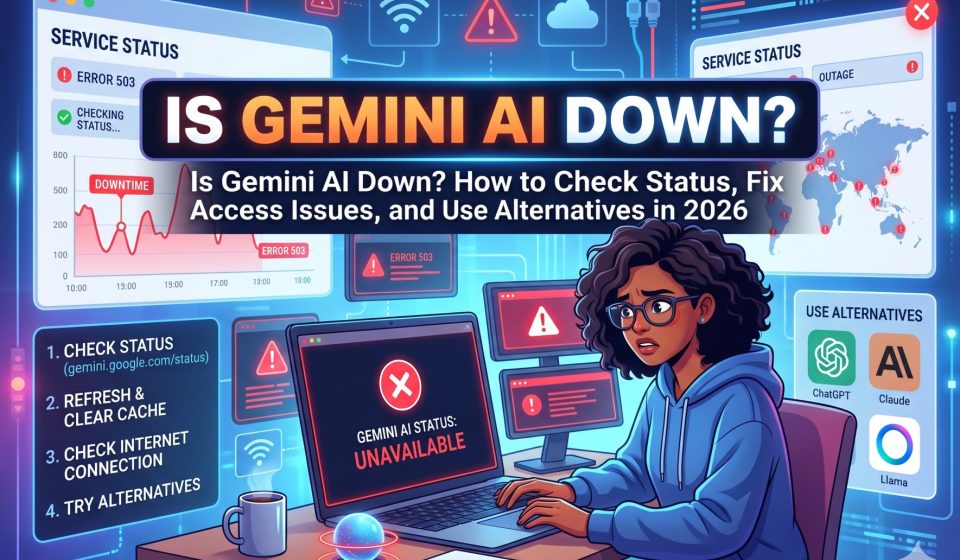
Is Gemini AI Down? How to Check Status, Fix Access Issues, and Use Alternatives in 2026

Is Gemini AI Down? How to Check Status, Fix Access Issues, and Use Alternatives in 2026
If Gemini AI is not loading, returning errors, or behaving unexpectedly, the first question is whether the problem is on Google’s end or yours. This guide covers every step for diagnosing a Gemini outage, checking live status, fixing the most common access issues, and maintaining your workflow when Gemini is unavailable.
How to Check If Gemini AI Is Actually Down Right Now
Before troubleshooting your own setup, verify whether the problem originates from Google’s infrastructure.
Step 1: Check Google’s Official Status Page
Google maintains a workspace status dashboard at workspace.google.com/dashboard/status. This page displays real-time service status for all Google Workspace products including Gemini. A yellow or red indicator next to Gemini confirms a service disruption on Google’s side.
Step 2: Check Downdetector
Downdetector (downdetector.com) aggregates user-reported outages for major services. Searching “Google Gemini” on Downdetector shows a real-time graph of reported problems. A spike in reports that coincides with your access issue is a strong indicator of a wider outage rather than a local problem.
Step 3: Check Google’s AI Studio Status
If you are accessing Gemini through the API or Google AI Studio, check status.cloud.google.com for Google Cloud Platform status. API-layer outages may not always surface on the consumer Workspace status page.
Step 4: Check Social Media for Real-Time Reports
Twitter (X) and Reddit’s r/GoogleGemini and r/artificial communities are often the fastest sources of real-time outage confirmation. Searching “Gemini AI down” on Twitter filtered to recent posts will surface current reports within minutes of a disruption occurring.
Most Common Gemini AI Error Messages and What They Mean
“Gemini is not available in your region”
This error means Gemini’s service is geographically restricted in your current location. Gemini is not available in all countries and regions. If you have traveled or are using a VPN that routes through a restricted region, this error will appear even if the service is globally operational. Disabling your VPN or switching its exit node to a supported country typically resolves this.
For a complete list of regions where Gemini API access is available, the official documentation at ai.google.dev maintains an updated country and region list.
“Something went wrong, please try again”
This generic error is Gemini’s catch-all for temporary backend failures. It frequently appears during high-traffic periods, partial outages, or when Google is pushing updates to the model or infrastructure. Waiting 2 to 5 minutes and refreshing usually resolves it. If it persists beyond 15 minutes, check the status pages described above.
“Gemini isn’t available right now”
This message typically indicates either a planned maintenance window or an unplanned service disruption. Unlike the generic error, this message is slightly more specific to service availability rather than a client-side or network issue. Monitor the Google Workspace status page to see when service is restored.
429 Too Many Requests (API users)
If you are accessing Gemini through the API and receiving 429 errors, you have exceeded your rate limit or quota for the current billing period. This is not an outage but a quota issue. Check your API usage dashboard in Google AI Studio or Google Cloud Console to review your current consumption against your plan limits.
503 Service Unavailable (API users)
A 503 from the Gemini API indicates a temporary server-side unavailability. This typically resolves within minutes. Implementing exponential backoff in your API calls is the standard engineering practice for handling 503s gracefully.
How to Fix Gemini AI Access Issues on Your End
If Google’s status pages show no active outages but Gemini still is not working for you, the problem is likely local. Work through these steps in order.
Clear Browser Cache and Cookies
Stale cache data or corrupted session cookies are among the most common causes of Gemini failing to load or behaving inconsistently. In Chrome, go to Settings, Privacy and Security, Clear Browsing Data. Select cached images and files and cookies. Reload Gemini after clearing.
Try a Different Browser
If Gemini loads in a different browser, the issue is specific to your primary browser’s configuration, extensions, or storage. Common culprits include ad blockers, privacy extensions, and content blockers that interfere with Google’s authentication or WebSocket connections.
Disable Browser Extensions
Extensions that block scripts, trackers, or third-party cookies can interrupt Gemini’s interface. Test in an incognito window with extensions disabled. If Gemini works in incognito mode, an extension is the cause.
Check Your Google Account Status
Gemini is tied to your Google account. If your account has been flagged, your subscription has lapsed, or your Workspace administrator has restricted Gemini access, you will be unable to use the service. Sign out and sign back in to refresh your session token.
Check Network and Firewall Settings
Corporate or institutional networks frequently block AI services. If you are on a work or school network and Gemini is inaccessible, your organization’s firewall may be the cause. Testing on a personal mobile data connection will confirm this.
What to Do With Your Workflow When Gemini Is Down
Planned or unplanned Gemini outages do not have to derail your work. The key is having fallback tools ready before you need them.
Immediate Alternatives During Downtime
Claude (Anthropic): Claude is a strong Gemini alternative for research, writing, analysis, and document processing. Its context window and instruction-following quality are competitive with Gemini’s best capabilities. For users who want to continue work seamlessly when Gemini is unavailable, having a Claude account configured and ready is the most practical fallback.
If you have existing conversations in Gemini that you want to continue in Claude, TransferLLM allows you to transfer your Gemini conversation history to Claude with full context and formatting preserved. This means you do not lose the context you have built up in a conversation just because the platform is down. The ability to Switch from Gemini to Claude with full message history intact makes this a practical business continuity option for teams dependent on Gemini.
ChatGPT (OpenAI): ChatGPT is the most widely used general-purpose AI assistant and a competent substitute for most Gemini tasks. Its web browsing feature covers Gemini’s real-time research advantage during outages.
Perplexity AI: For research-focused tasks where Gemini’s web integration is the specific capability you rely on, Perplexity AI is a dedicated search-augmented AI that handles web-grounded research well.
Maintaining Context During an Outage
The most disruptive part of an unexpected Gemini outage is not the downtime itself but the loss of workflow context. If you were mid-conversation on a research project or iterative task, having that history accessible in another tool matters more than the tool itself.
Users who regularly migrate AI conversation history between platforms maintain continuity regardless of which platform is available. Keeping a recent export of important Gemini conversations is a practical business continuity measure for teams that depend on long-form AI-assisted workflows.
For teams already using multiple AI tools in parallel, managing AI chat history and memories across platforms provides a structural approach to cross-platform resilience.
Gemini AI Outage History: How Frequent Are Disruptions
Google’s infrastructure is among the most reliable in the world, and Gemini inherits that foundation. Major Gemini outages affecting all users are relatively infrequent, but partial service degradations, regional disruptions, and API instability during high-demand periods occur more regularly.
The pattern most users encounter is not full outages but intermittent slowdowns, temporary error messages during peak hours, and the occasional multi-hour degradation affecting specific features like image generation or API response times. Tracking Google’s status history at status.cloud.google.com shows the historical frequency and duration of past incidents.
Preventing Workflow Disruption From Future Outages
The best preparation for Gemini downtime is building redundancy into your AI workflow before you need it.
Practical steps:
- Maintain active accounts on at least one Gemini alternative (Claude, ChatGPT, or Perplexity)
- Regularly export critical Gemini conversations using the platform’s export feature or via TransferLLM
- For API-dependent workflows, implement retry logic with exponential backoff and fallback model routing
- For teams using Gemini in Google Workspace, identify which tasks can be completed in Workspace without AI assistance during downtime
TransferLLM provides a direct solution for teams that want Gemini conversation history accessible in other platforms without manual reformatting. You can also Transfer your ChatGPT conversations to Gemini if your workflow runs in the opposite direction and you need to consolidate history on the Google side.
Frequently Asked Questions
1. How do I know if Gemini AI is down for everyone or just me?
Check workspace.google.com/dashboard/status for Google’s official service status and compare with Downdetector reports for Gemini. If the official status page shows no disruption but Downdetector shows a spike in user reports, there may be a partial or regional outage not yet reflected in Google’s dashboard. If both show clear, try the local troubleshooting steps in this guide.
2. How long do Gemini outages typically last?
Minor disruptions and partial service degradations typically resolve within 30 to 60 minutes. More significant outages affecting core functionality may last several hours. Google publishes post-incident reports for major outages that include root cause analysis and resolution timeline.
3. Why does Gemini keep showing errors even when it is not listed as down?
Gemini may still show errors during regional degradations not captured on the global status page, during high-traffic periods that cause throttling on specific server clusters, or during progressive rollouts of updates that affect some users before others. Clearing cache, trying a different browser, and testing on a different network can isolate whether the issue is localized to your setup.
4. Does Gemini AI have planned maintenance windows?
Google generally does not publish scheduled maintenance windows for Gemini consumer products in advance. Major infrastructure maintenance for Google Cloud services, which underpin Gemini, may be announced for enterprise customers through Google Cloud’s maintenance notification system. Consumer users are typically not given advance notice of maintenance.
5. What is the best Gemini AI alternative to use during downtime?
Claude is the most widely recommended Gemini alternative for users whose primary Gemini use cases involve research, writing, document analysis, and long-context reasoning. For users who need web search integration as a substitute for Gemini’s real-time capabilities, Perplexity AI is strong. ChatGPT covers most general-purpose use cases. For teams with important ongoing conversations in Gemini, Switch from Gemini to Claude via TransferLLM ensures those conversations are accessible in Claude without any manual copy-paste work.