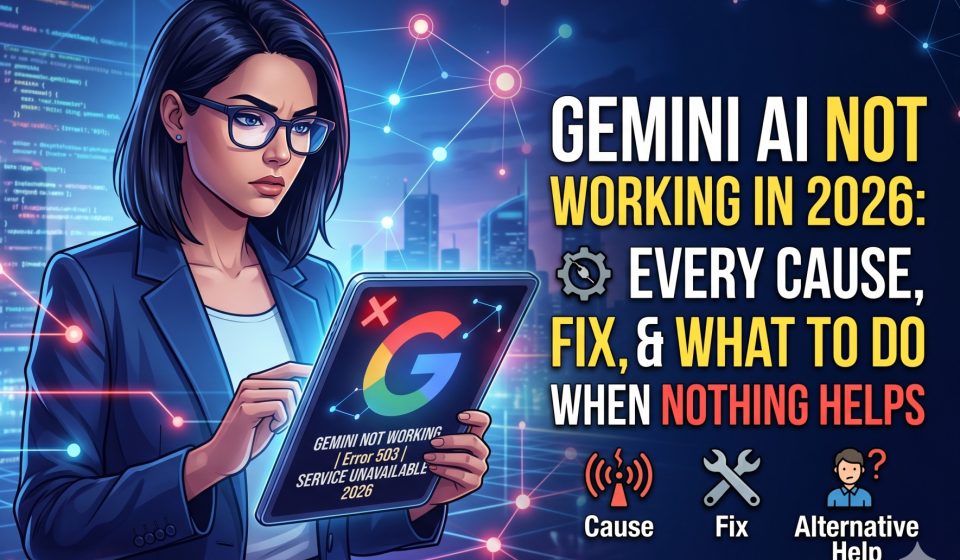

Gemini AI Not Working in 2026: Every Cause, Fix, and What To Do When Nothing Helps
If Gemini AI is not working for you right now, this guide covers every known cause and the corresponding fix in 2026. Whether you are dealing with a blank screen, a login loop, slow or broken responses, integration failures with Google Workspace, or a regional access block, the solution is in here.
We also cover what to do when none of the standard fixes resolve the issue, including how to move to an alternative platform without losing your existing conversation history.
Quick Diagnostic: What Kind of “Not Working” Are You Experiencing
Gemini AI failures fall into several distinct categories, and the fix depends on which type of problem you are dealing with.
Cannot access Gemini at all. The site does not load, you get a blank screen, or you are redirected away from the interface.
Login or authentication failure. You reach the login screen but cannot authenticate with your Google account, or you are stuck in a repeated sign-in loop.
Responses are not generating. You can access the interface and submit a prompt, but Gemini does not respond, shows a loading indicator indefinitely, or produces an error message.
Responses are broken or incomplete. Gemini generates a response but it cuts off mid-sentence, formatting is broken, or the content appears garbled.
Google Workspace integration is not working. Gemini in Gmail, Docs, or Drive is not appearing, not responding, or producing incorrect outputs.
Access is blocked in your region. Gemini is unavailable based on your location.
Gemini Advanced features are missing. You have a paid subscription but cannot access features that should be available.
Work through the section below that matches your specific symptom.
Gemini AI Not Loading: Cannot Access the Site
Check Google’s Service Status First
Before troubleshooting your own setup, verify that Gemini is actually operational on Google’s end. Go to the Google Workspace Status Dashboard or check Google’s official status page for any reported outages or degraded service. Gemini has experienced several notable outages in 2026, and when the platform itself is down, no amount of local troubleshooting will fix the issue.
You can also search “Gemini AI down” on platforms like Reddit or Downdetector to see if other users are reporting problems at the same time.
Hard Refresh the Page
In Chrome or Edge, press Ctrl+Shift+R on Windows or Cmd+Shift+R on Mac to perform a hard refresh that bypasses the browser cache. A standard refresh (Ctrl+R) sometimes loads a cached version of the page that is stale or corrupt.
Clear Browser Cache and Cookies
An outdated or corrupt cache is one of the most common causes of Gemini failing to load correctly. Go to your browser settings, navigate to Privacy and Security, and clear cached images, files, and cookies for the gemini.google.com domain specifically. Clearing cookies will sign you out, which is expected.
Try a Different Browser
If Gemini does not load in your primary browser, try it in an incognito or private window first. If it works there, the problem is browser extensions or stored data. If incognito also fails, try a completely different browser such as Firefox or Edge. If it works in a different browser, the issue is specific to your primary browser’s configuration.
Disable Browser Extensions
Ad blockers, privacy tools, VPN browser extensions, and script blockers can interfere with Gemini’s loading process. Temporarily disable all extensions and reload the page. If Gemini loads correctly, re-enable extensions one at a time to identify which one is causing the conflict.
Check Your Network and DNS
Some network configurations, corporate firewalls, and public Wi-Fi environments block access to AI services. Try accessing Gemini on a different network such as mobile data to determine if the issue is network-specific. If it works on mobile data but not on your home or work network, the problem is at the network level rather than with Gemini itself.
Gemini AI Login Not Working: Authentication and Sign-In Issues
Verify Your Google Account Status
Gemini requires a Google account in good standing. If your Google account has a problem such as an unverified phone number, a flagged billing issue, or a suspended status, Gemini access may be blocked. Log into myaccount.google.com and verify that your account shows no warnings or issues.
Sign Out Completely and Sign Back In
Go to accounts.google.com, click Sign Out of all accounts, then close and reopen your browser. Navigate to gemini.google.com and sign in fresh. This resolves authentication token issues that can cause repeated login loops.
Check for Multiple Google Account Conflicts
If you use multiple Google accounts in the same browser, account switching conflicts can prevent Gemini from loading correctly. Try accessing Gemini in a browser profile that is signed into only one Google account.
Regional Age Restrictions
Google enforces age verification in certain regions for Gemini access. If your Google account has an incorrect birth date suggesting you are under the required age threshold for your region, access may be blocked. Verify that your account information is accurate.
Gemini AI Not Responding: Prompts Submitted But No Output Generated
Wait and Retry
During periods of high traffic or partial service degradation, Gemini may accept prompt submissions but fail to return responses in a reasonable timeframe. Wait 30 to 60 seconds before assuming a failure. If the response does not appear, refresh the page and try again.
Check Response Length Settings
Very long or very complex prompts can sometimes trigger timeouts or processing failures. If a specific prompt is consistently failing to generate a response, try breaking it into shorter, more focused segments. Submit the first part, get a response, then continue.
Disable VPN or Proxy
VPN connections can cause authentication and request routing problems with Gemini. If you are using a VPN, temporarily disable it and retry. If Gemini works without the VPN, the issue is the VPN routing or exit node. Try a different VPN server location or disable it for Gemini sessions.
Check Gemini’s Service Status for API-Level Issues
Sometimes Gemini’s interface is accessible but the underlying model is experiencing issues. If responses are hanging indefinitely and refreshing does not help, check the status page again for API-level degradation that may not be reflected in the main interface status.
Gemini AI Responses Cut Off or Broken: Incomplete and Garbled Output
Response Length Truncation
Gemini enforces response length limits. Very long requested outputs may be cut off at the limit. If a response is being truncated, try asking Gemini to “continue” in a follow-up message. You can also break your original request into smaller parts to stay within the limit.
Formatting Conflicts
Certain combinations of markdown, code blocks, and special characters can cause rendering issues in the Gemini interface. If a response looks garbled, try copying the raw text into a plain text editor to see if the content is actually correct but displaying poorly. If the raw text is fine, the issue is a rendering bug in the browser interface.
Browser Rendering Issues
An outdated browser version can cause JavaScript rendering failures that make responses appear broken even when the underlying content is correct. Make sure your browser is updated to its latest version.
Gemini AI Google Workspace Integration Not Working
This is one of the most common failure modes reported by business and enterprise users in 2026. The Gemini integration within Gmail, Docs, Sheets, and Drive behaves inconsistently, and the fixes vary by product.
Verify Your Workspace Plan Includes Gemini
Gemini is not included in all Google Workspace plans. Confirm that your specific plan includes Gemini for Workspace access. Administrators manage this at the admin console level, so if you are not the administrator, check with your IT team.
Check Admin-Level Gemini Activation
Gemini for Workspace must be explicitly enabled by your Workspace administrator. If you are not seeing Gemini integration options in Gmail or Docs, the feature may not be enabled for your organization regardless of subscription status.
Reload the Workspace Application
Close your Google Doc, Gmail, or Sheets tab completely and reopen it. The Gemini panel in Workspace applications sometimes fails to initialize on first load and appears correctly after a clean reload.
Clear Google Workspace Cache
In Google Docs specifically, old cached data can prevent the Gemini panel from appearing. Go to the Help menu in Docs and look for any available refresh or reload option. In Gmail, a full browser cache clear for the mail.google.com domain often resolves panel loading issues.
For context on how Gemini’s AI Studio differs from the standard Gemini product, our guide on Google AI Studio versus Gemini and which one you actually need clarifies the product differences that often cause confusion.
Gemini AI Not Available in Your Region
Gemini has regional restrictions and is not available in all countries. If you are receiving a region-based access error, you can review the full country availability list in our coverage of available regions for Google AI Studio and Gemini API access in 2026.
For users in restricted regions, a VPN that routes through a supported country can provide access, though this may conflict with Google’s terms of service. Review Google’s usage policies before proceeding.
Gemini Advanced Features Missing After Subscription
Verify Payment Processed Successfully
Log into myaccount.google.com and navigate to Subscriptions. Confirm that your Gemini Advanced subscription shows as active with no payment issues. A failed payment can immediately drop features without an obvious error message.
Sign Out and Sign Back In
After a subscription activates or renews, a fresh sign-in cycle is often needed before the new features appear in the interface. Sign out completely, close your browser, reopen, and sign back in.
Check Account Eligibility Requirements
Certain Gemini Advanced features have eligibility conditions including age requirements, regional availability, and account history factors. If a specific feature is missing, review Google’s official feature availability page for your region and account type.
Our analysis of the Gemini AI subscription model and what you actually get at each tier covers what to expect and what is often missing in practice.
Google Gemini Student Offer Not Working
Student offer activation issues are among the most frequently searched Gemini problems in 2026. Eligible accounts sometimes fail to activate correctly despite meeting all requirements. Our dedicated guide on Google Gemini AI student offer not working, causes, fixes, and community insights from Reddit covers every known issue and resolution specific to this offer type.
When Nothing Works: Considering a Move to Claude
If you have worked through all of the troubleshooting steps above and Gemini is still not functioning reliably for your needs, it may be worth evaluating whether the issue is with Gemini specifically or whether another platform would serve your workflow better.
Gemini’s reliability problems are not always one-time glitches. Inconsistent availability, frequent interface issues, and integration failures with Workspace products are reported persistently by a significant portion of the user base. For professional users whose workflows depend on reliable AI access, these recurring issues have a real productivity cost.
Claude has become the most common destination for users who decide to leave Gemini. The transition is easier than most users expect, particularly because you do not have to leave your conversation history behind.
How to Migrate from Gemini to Claude Without Losing Your History
Switch from Gemini to Claude using the Gemini2Claude desktop application. The app migrates your complete conversation history, including full message context, formatting, and thread structure, directly from your Google account to your Claude account. The entire process runs on your own device. Nothing is uploaded to any third-party server.
The migration runs in three steps. You authorize your Gemini account within the desktop app. The app reads and converts your conversation history locally on your machine. The converted conversations are then written directly to your Claude account from your device with no intermediary involved.
If you also have ChatGPT conversations you want to bring along, the ChatGPT to Claude transfer tool handles that migration with the same local-only processing model. For users who want to move ChatGPT history to Gemini specifically, Transfer your ChatGPT conversations to Gemini covers that direction.
Our full walkthrough on completing a Gemini to Claude conversation migration without losing context covers the complete process step by step.
Preventing Future Gemini AI Problems: Best Practices
Keep your browser updated. The majority of interface-level Gemini issues are browser rendering problems that are resolved in current browser versions. Running an outdated browser is the single most avoidable cause of persistent Gemini problems.
Use Chrome as your primary browser for Gemini. As a Google product, Gemini is optimized for Chrome. Edge and Firefox generally work well, but Chrome receives fixes for Gemini-specific issues faster than other browsers.
Avoid using Gemini on unstable network connections. AI interfaces are sensitive to network interruptions during response generation. A dropped or throttled connection mid-response frequently produces truncated or broken outputs.
Keep only necessary extensions active. Browser extensions, particularly privacy tools, ad blockers, and VPN extensions, are the most common source of persistent interface issues. If Gemini problems appear after installing a new extension, that extension is likely the cause.
Check Google’s status page before extended troubleshooting. Spending 30 minutes troubleshooting your own setup while Gemini is experiencing a platform-level outage is wasted time. The status check takes 30 seconds and should always be the first step.
Frequently Asked Questions
Why does Gemini AI keep showing a blank screen? A blank screen is most commonly caused by browser cache issues, conflicting browser extensions, or an incomplete page load due to network problems. Start with a hard refresh (Ctrl+Shift+R), then clear browser cache for the gemini.google.com domain, then disable extensions temporarily and reload.
Why is Gemini AI so slow today? Slow responses can be caused by high platform traffic, partial service degradation on Google’s end, or a slow network connection on your side. Check Google’s status page to rule out platform issues, then test on a different network to rule out local connectivity problems.
Gemini AI is not available in my country. What can I do? Gemini has regional restrictions. Review the full availability list in our guide on Gemini AI regional access and country restrictions in 2026. Claude is available in a broader set of regions and may be accessible where Gemini is not.
My Gemini Advanced subscription is active but features are missing. Why? After a subscription activates, a complete sign-out and fresh sign-in is typically needed before features appear. If features are still missing after signing back in, verify your payment processed correctly in your Google account settings and confirm the feature is available in your region.
If Gemini keeps not working, should I switch to Claude? If you are experiencing persistent, recurring issues that standard troubleshooting does not resolve, evaluating Claude is a reasonable next step. The transition does not require abandoning your existing Gemini conversation history. The Gemini to Claude migration desktop app transfers your complete history locally with no data passing through third-party servers, so you can make the move without losing any accumulated context or research.