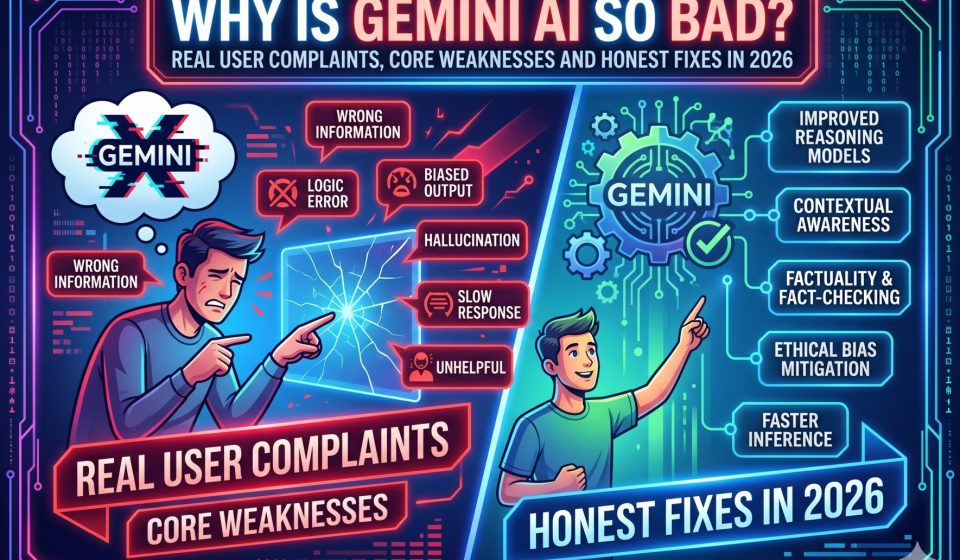
Why Is Gemini AI So Bad? Real User Complaints, Core Weaknesses and Honest Fixes in 2026

This is one of the most searched questions about Google’s AI assistant, and it deserves a direct, evidence-based answer. Gemini is not uniformly bad. In specific areas, such as multimodal input processing, native context window size, and Google Workspace integration, it is genuinely competitive with or ahead of rival platforms. But there are real, documented weaknesses that cause consistent frustration for users, and understanding them is more useful than a simple yes or no answer.
This guide lays out exactly where Gemini falls short, why those failures happen, and what your options are when Gemini is not delivering what you need.
The Background: What Users Are Actually Complaining About
Before listing criticisms, it is worth acknowledging that user frustration with Gemini is real and widespread. Community threads, professional reviews, and independent benchmark comparisons all document patterns of underperformance in specific task categories. The complaints are not uniform, which suggests the problems are architectural and use-case-specific rather than a sign that the entire product is broken.
The most common categories of complaints fall into five areas: reasoning accuracy, hallucination rate, instruction-following consistency, coding reliability, and the quality of its responses on nuanced or complex topics.
Reason 1: Gemini Hallucinates More Than Its Main Competitors
Hallucination, meaning generating confidently stated incorrect information, is the most cited reason why users abandon Gemini for alternatives. Multiple independent evaluations in 2025 and 2026 show that Gemini’s hallucination rate on factual recall tasks is higher than both GPT-5.4 and Claude Sonnet on the same prompts.
This matters more for some use cases than others. If you are using Gemini for creative writing or brainstorming, a hallucination may not derail the output. If you are using it for research, medical queries, legal summaries, or technical documentation, an incorrect but confident response is actively harmful.
The hallucination problem is compounded by Gemini’s tendency to present incorrect information in a polished, authoritative tone. Users report that Gemini rarely expresses uncertainty even when it should. Claude, by contrast, is more likely to flag when it is unsure and recommend the user verify a claim.
If your work depends on factual accuracy, this single issue is reason enough to explore alternatives. For users who have built up research workflows and conversation threads in Gemini and want to migrate them to a more reliable platform, the process of switching from Gemini to Claude with full context preserved takes minutes rather than hours.
Reason 2: Instruction Following Is Inconsistent
A well-designed AI model should follow your instructions precisely, maintain those instructions across a long conversation, and ask for clarification when a request is ambiguous. Gemini fails on this metric more often than its main competitors, particularly in long-session interactions.
Common patterns reported by users include:
Gemini reverts to earlier behaviour after being corrected several times in the same conversation. If you tell it to stop adding caveats, it complies for a few turns and then quietly reintroduces them. If you specify a strict output format, it frequently drifts away from that format as the session continues.
Gemini sometimes refuses tasks it should complete, particularly when a subject touches adjacent sensitive areas even if the actual request is entirely appropriate. This over-refusal pattern is documented in professional creative, legal, and technical communities.
Gemini frequently adds unsolicited qualifications, disclaimers, and alternative framings to outputs when the user has not asked for them. For professional writers, marketers, and content teams, this pattern produces outputs that require significant post-editing.
The best AI chat alternatives to Gemini in 2026 covers several platforms that handle instruction following more reliably, including Claude, which was specifically designed with instruction adherence as a core priority.
Reason 3: Coding Performance Has Lagged Behind Competitors
On standard coding benchmarks like SWE-bench Verified, Gemini consistently scores lower than both ChatGPT’s GPT-5.5 and Claude Sonnet. GPT-5.5 scores approximately 88.7% on SWE-bench Verified in 2026 compared to Gemini 3.1 Pro’s roughly 80.6%. On terminal task completion and complex programming instruction following, the gap is even wider.
For developers, this is a concrete and measurable problem. Gemini is workable for simple code generation, syntax correction, and basic debugging. It struggles with multi-step refactoring tasks, large codebase comprehension, and the kind of extended technical dialogue that professional software development requires.
Users who have moved from Gemini to Claude for coding tasks report a noticeable improvement in the model’s ability to maintain context across a long debugging session, follow multi-step technical instructions, and produce code that actually runs without significant correction.
If you have existing Gemini conversations that document technical decisions, architecture choices, or debugging history, those conversations are worth preserving. The guide to loading a long Gemini conversation into Claude explains how to transfer that context so you do not lose the development history you have already built.
Reason 4: Context Retention Problems in Long Conversations
One of Gemini’s advertised strengths is its large context window. In practice, users report that the quality of responses degrades noticeably in long conversations even when the technical token limit has not been reached. The model begins to lose track of decisions made earlier in the conversation, contradicts itself, and fails to apply constraints that were established at the start of the session.
This is distinct from the token limit itself. The issue appears to be one of attention quality across a long context rather than a hard cutoff. Research and academic communities report this problem most frequently because their workflows involve extended, iterative sessions that build on prior exchanges.
Gemini’s context retention issues are particularly frustrating when you are working on a project over multiple sessions. Google’s native conversation history does not transfer context as cleanly as dedicated migration tools. For users who need to restart a long Gemini project in a different platform, migrating Gemini conversation history to Claude preserves the full structure of your prior sessions so the new model can pick up where Gemini lost the thread.
Reason 5: Gemini’s Free Tier Is More Limited Than Advertised
New users often try Gemini on the free tier and form their opinion of the product based on that experience. The free tier in 2026 runs on Gemini 3.1 Flash rather than the flagship model. Flash is a smaller, faster, cheaper model that trades capability for speed. Many of the most cited criticisms of Gemini’s reasoning quality are based on free-tier interactions with Flash, not the full Gemini 2.5 Pro that powers Google AI Pro.
This is a genuine product communication failure. Google does not make the model tier distinction obvious in the interface, leading users to believe they are testing Gemini at full strength when they are actually using a constrained version.
The reverse is also true. Users who compare Gemini fairly against ChatGPT Plus and Claude Pro using the equivalent paid tiers find a much more competitive product. If your negative Gemini experience is from the free tier, it is worth trying Google AI Pro at $19.99 per month before drawing final conclusions.
Reason 6: Google’s Integration Advantages Are Overstated for Non-Workspace Users
One of Gemini’s frequently cited strengths is its integration with Google services. This is genuinely valuable for users who rely heavily on Gmail, Google Docs, Google Sheets, and Google Calendar. For users outside that ecosystem, the integration advantage disappears entirely.
If you primarily use Microsoft Office, Notion, Slack, or other productivity tools, Gemini’s Google-specific advantages deliver no value. ChatGPT offers over 60 app connectors. Claude integrates with a wide range of third-party tools. Gemini’s deep integrations are concentrated in Google’s own product suite.
Users who have switched from Google Workspace to other productivity stacks frequently discover that Gemini’s practical utility drops significantly once the Google integration advantage is removed.
Reason 7: Gemini Makes Errors on Logical and Mathematical Reasoning
On benchmark tests specifically targeting logical reasoning, mathematical problem solving, and multi-step inference chains, Gemini underperforms both GPT-5.5 and Claude 3.7. The gap is measurable on GPQA Diamond, where Gemini scores 94.3% compared to GPT-5.5 at 93.6%, meaning it actually leads on that specific test. But on broader reasoning assessments and SWE-bench-style problem solving, ChatGPT and Claude consistently outscore Gemini.
For professionals who rely on AI for quantitative analysis, complex reasoning chains, or multi-step inference, these benchmark differences translate into real-world quality gaps. Mathematical errors in particular tend to appear in outputs that look correct on the surface, requiring users to verify calculations manually.
When Gemini Is Actually Good
It would be inaccurate to present Gemini as uniformly inferior. There are specific use cases where it leads.
For video and audio processing, Gemini’s native multimodal capabilities are genuinely ahead of most competitors. It can process video content directly, analyse audio files, and handle mixed-media inputs in ways that ChatGPT’s text-and-image interface cannot match at the consumer tier.
For users who need to process extremely long documents, Gemini’s 1M token context window available even at the consumer tier is a structural advantage over ChatGPT Plus, which caps at 272K tokens for consumer app users.
For developer teams already using Google Cloud, the Gemini API’s cost advantage of roughly 50% lower per-token pricing compared to OpenAI is significant at scale. The comparison of Google AI Studio versus Gemini AI explains how developers can access the most capable Gemini models at the best API rates.
What to Do If Gemini Is Not Meeting Your Needs
If Gemini is consistently producing outputs that require heavy editing, generating incorrect information on tasks that matter to your work, losing context in long sessions, or failing to follow your instructions reliably, the logical next step is to try an alternative.
Claude from Anthropic is the most frequently recommended switch for users who are frustrated with Gemini’s hallucination rate and instruction-following consistency. Claude’s Constitutional AI approach produces more cautious, better-calibrated responses, and its performance on complex writing and reasoning tasks consistently scores well in head-to-head comparisons.
ChatGPT remains the broadest feature platform and is the best option for users who need voice interaction, image generation, and multi-app automation under a single subscription.
If you have invested time building Gemini conversations and do not want to lose that context when switching, moving from Gemini to Claude through a dedicated transfer tool preserves your full conversation history with structure intact. You can also read the full guide to migrating from ChatGPT to Claude without data loss to understand what the migration process involves across different platforms.
Frequently Asked Questions
1. Is Gemini AI actually bad or is the criticism overblown?
Gemini has real, documented weaknesses in instruction following, hallucination rate on factual tasks, and coding performance compared to GPT-5.5 and Claude Sonnet in 2026. These are not overblown for the specific use cases where they appear. However, Gemini leads on multimodal video processing, API cost efficiency, and native Google Workspace integration. Whether Gemini is bad depends almost entirely on what you are trying to use it for.
2. Why does Gemini ignore my instructions mid-conversation?
This is one of the most commonly reported issues with Gemini, particularly in long sessions. The model tends to drift from established instructions as a conversation extends. It is an architectural limitation rather than a user error. Claude has a notably stronger track record for maintaining instruction constraints across extended sessions, which is why many professional users switch after experiencing this problem repeatedly.
3. Why does Gemini hallucinate so much?
All large language models hallucinate to varying degrees. Gemini’s hallucination rate is higher than Claude and competitive with GPT-5.4 on general tasks, but the pattern of confident, polished hallucinations without appropriate uncertainty flags is what makes Gemini’s errors more dangerous than those of other models. The model’s tendency to present incorrect information in authoritative language makes errors harder to catch.
4. Is Google AI Pro better than the free Gemini tier?
Substantially. The free tier runs Gemini 3.1 Flash, a smaller model with reduced reasoning capacity. Google AI Pro at $19.99 per month provides access to Gemini 2.5 Pro, which performs considerably better on reasoning, instruction following, and factual accuracy. Many users who dismiss Gemini based on free-tier interactions have not tested the full model.
5. What is the best way to switch from Gemini to another AI without losing my work?
The cleanest method is using a dedicated conversation migration tool. Switching from Gemini to Claude through gemini2claude.com transfers your complete conversation history with full message structure and context. No manual copy-paste is required, no data passes through third-party servers, and you can pick up your conversations immediately in Claude. The complete transfer guide on TransferLLM walks through every step of the migration process.