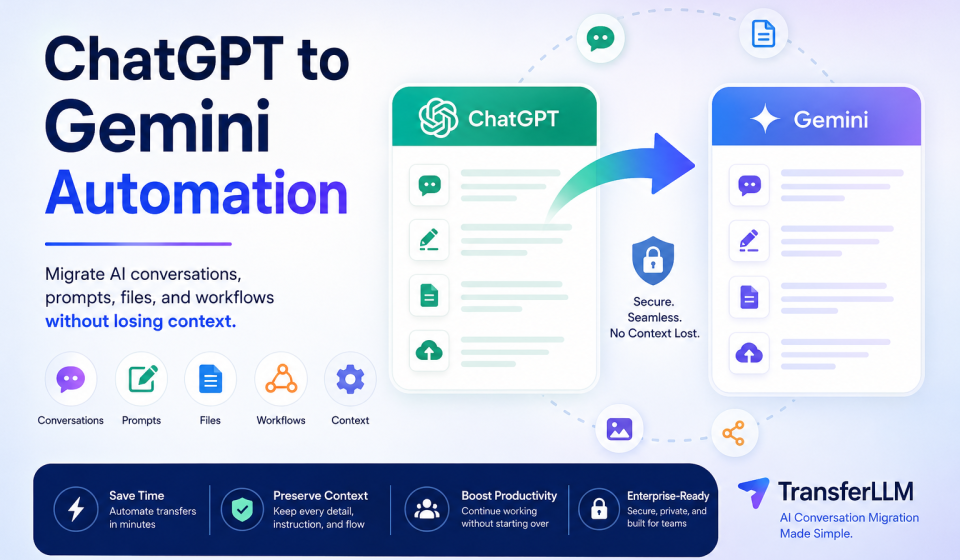
ChatGPT to Gemini Automation: The Complete Guide to Migrating AI Conversations Without Losing Context

Artificial intelligence tools have become a core part of daily work. Content creators use them for writing. Developers use them for coding assistance. Marketers use them for research and campaign planning. Businesses use them to improve productivity across teams.
As more AI platforms enter the market, many users are exploring different models to find the best fit for their needs. One common transition is moving from ChatGPT to Gemini.
The challenge is simple.
Most users have already built valuable assets inside ChatGPT. These assets include conversations, prompts, project instructions, research notes, workflows, and files. Starting over inside Gemini can be frustrating and time-consuming.
This is where ChatGPT to Gemini automation becomes important.
Instead of manually copying and pasting hundreds of conversations, users can automate the migration process while preserving valuable context and workflow continuity.
In this guide, you will learn how ChatGPT to Gemini automation works, why it matters, common migration challenges, and how platforms like TransferLLM help users move AI conversations efficiently.
Why Are Users Moving From ChatGPT to Gemini?
The AI landscape continues to evolve rapidly. Users are no longer relying on a single AI platform.
Many professionals now use multiple AI models for different tasks.
Some users move to Gemini because of its integration with Google’s ecosystem. Others want to compare model performance, access different capabilities, or build multi-model workflows.
Common Reasons for Switching AI Platforms
Several factors encourage users to migrate from ChatGPT to Gemini:
- Access to Google’s ecosystem
- Different reasoning capabilities
- Improved workflow flexibility
- Cost considerations
- Team collaboration requirements
- Experimentation with multiple AI models
Businesses often use more than one AI platform to reduce dependency on a single provider and improve operational efficiency.
Challenges Users Face During Migration
Switching platforms sounds simple until users realize how much information is stored inside existing conversations.
Common migration challenges include:
- Lost context
- Missing prompts
- Broken workflows
- Formatting issues
- Missing attachments
- Repetitive setup work
Without proper migration, users often spend hours rebuilding projects from scratch.
What Happens When Context Gets Lost?
Context is one of the most valuable assets in AI conversations.
When context disappears, users may lose:
- Project history
- Brand guidelines
- Research notes
- Custom instructions
- Previous decisions
- Prompt sequences
As a result, Gemini may not understand the project the same way ChatGPT did.
This can reduce productivity and create inconsistent outputs.
What Is ChatGPT to Gemini Automation?
ChatGPT to Gemini automation is the process of automatically transferring conversations, prompts, files, instructions, and context from ChatGPT into Gemini.
The goal is simple.
Users should be able to continue working without manually rebuilding projects.
Instead of spending hours copying data, automation tools handle the migration process and preserve important information.
Definition Explained in Simple Terms
Think of ChatGPT to Gemini automation as moving an entire project from one workspace to another.
Instead of transferring individual messages manually, the system transfers the complete conversation environment.
This includes:
- Conversations
- Prompts
- Instructions
- Context
- Files
- Workflow structure
The result is a smoother transition between AI platforms.
Manual Migration vs Automated Migration
Many users initially attempt manual migration.
This usually involves:
- Opening ChatGPT
- Copying conversations
- Pasting them into Gemini
- Re-uploading files
- Recreating instructions
This process works for small projects but becomes difficult for larger workloads.
Automated migration simplifies the process by handling transfers at scale.
| Feature | Manual Migration | Automated Migration |
| Speed | Slow | Fast |
| Context Retention | Limited | High |
| Prompt Preservation | Partial | Complete |
| Attachment Support | Manual | Automated |
| Error Risk | High | Low |
| Scalability | Poor | Excellent |
| Workflow Continuity | Limited | Strong |
How Automation Simplifies AI Workflow Transfers
Automation reduces repetitive work and minimizes errors.
Instead of rebuilding workflows, users can continue working almost immediately.
Automation typically handles:
Prompt Migration
Prompt libraries often contain months of testing and optimization.
Automation preserves these valuable assets.
Conversation Migration
Entire conversation threads move together, helping Gemini understand previous interactions.
File Migration
Attachments and supporting documents remain connected to relevant conversations.
Workflow Preservation
Users can maintain project continuity without restarting research, content creation, or development tasks.
Why Manual Chat Transfer Creates Problems
Many users underestimate the complexity of AI conversation migration.
A few copied messages may transfer successfully, but larger projects usually face significant issues.
Copy-Paste Limitations
Copying and pasting works for short conversations.
It becomes inefficient when dealing with:
- Hundreds of chats
- Long projects
- Research workflows
- Team collaboration records
The process quickly becomes overwhelming.
Missing Context and Instructions
AI outputs depend heavily on context.
When users transfer only selected messages, important background information often disappears.
The new AI platform receives incomplete information and may generate inconsistent responses.
Formatting Issues
Manual transfers frequently introduce formatting problems.
Users may lose:
- Headings
- Lists
- Tables
- Code blocks
- Structured documents
These issues require additional cleanup work.
Lost Attachments and References
Files are often critical parts of AI projects.
Examples include:
- Research documents
- PDFs
- Images
- Reports
- Presentations
Manual transfers increase the risk of losing these resources.
Time Consumption for Large Projects
A single project may contain dozens of conversations.
An organization may manage hundreds or even thousands.
Manually transferring this information is not practical.
For teams, the cost of lost productivity can become significant.
How ChatGPT to Gemini Automation Works
Modern migration platforms simplify the entire process.
Instead of moving information manually, users can automate the workflow.
Step 1: Connect Your AI Platforms
The first step is establishing connections between source and destination platforms.
This creates a secure migration pathway.
Step 2: Select Conversations
Users choose which conversations, projects, or prompt libraries should be transferred.
Some platforms also support bulk migration.
Step 3: Transfer Context and Prompts
The migration system extracts:
- Conversation history
- Project context
- Prompt structures
- Instructions
- Supporting content
This information remains organized throughout the transfer.
Step 4: Import Into Gemini
After extraction, the data is prepared for Gemini and imported into the new environment.
Formatting, structure, and context remain intact whenever possible.
Step 5: Continue Working Without Restarting
Once migration is complete, users can continue their projects inside Gemini.
There is no need to rebuild workflows from the beginning.
The transition becomes significantly faster and more efficient.
For professionals who rely on AI every day, this continuity can save hours of work and preserve valuable knowledge.
What Should Be Preserved During AI Chat Migration?
A successful migration involves much more than transferring messages. The real value lies in preserving the information that helps an AI understand a project, maintain consistency, and generate accurate outputs.
When evaluating a ChatGPT to Gemini automation solution, users should ensure that the following elements remain intact.
Prompt History
Many professionals spend weeks or even months refining prompts.
These prompts often contain:
- Writing instructions
- Coding frameworks
- Marketing strategies
- Research methodologies
- Brand guidelines
Losing prompt history means losing valuable intellectual property. A reliable migration process should preserve prompt libraries so users can continue using proven workflows.
Conversation Context
Context helps AI models understand previous discussions, decisions, and objectives.
Without context, users must repeatedly explain:
- Project goals
- Target audiences
- Business requirements
- Content guidelines
- Technical specifications
Preserving context allows Gemini to continue conversations with greater accuracy and consistency.
Attachments and Files
Many AI projects rely on supporting documents.
Common file types include:
- PDFs
- Research reports
- Spreadsheets
- Images
- Presentations
- Documentation
A migration solution should ensure that important files remain linked to relevant conversations whenever possible.
Project Instructions
Custom instructions help maintain consistent outputs.
These instructions often include:
- Writing style preferences
- Formatting requirements
- Brand voice guidelines
- Coding standards
- Workflow processes
Preserving these instructions reduces setup time and improves productivity after migration.
Custom Workflows
Many users create repeatable workflows inside AI platforms.
Examples include:
- Blog creation systems
- SEO workflows
- Content audits
- Research frameworks
- Customer support templates
Automation should transfer these workflows so users can continue working without disruption.
Key Features to Look for in a ChatGPT to Gemini Automation Tool
Not all migration tools offer the same capabilities.
Choosing the right platform can determine whether the migration process is smooth or frustrating.
Context Retention
Context retention should be the highest priority.
The platform should preserve:
- Conversation flow
- Project history
- Instructions
- Important references
The more context that remains intact, the easier it becomes to continue projects inside Gemini.
Formatting Preservation
Formatting improves readability and organization.
A quality migration solution should preserve:
- Headings
- Tables
- Bullet points
- Numbered lists
- Code blocks
- Structured documents
Proper formatting reduces manual cleanup work.
Bulk Transfers
Businesses often manage hundreds of conversations.
Bulk migration capabilities allow users to transfer large datasets efficiently.
This feature becomes especially valuable for agencies, research teams, and enterprise organizations.
Attachment Support
Attachments often contain critical project information.
Migration platforms should support:
- Document transfers
- Image transfers
- Reference files
- Supporting materials
This ensures project continuity.
Security and Privacy
Data protection should never be overlooked.
Users should look for:
- Secure data handling
- Encryption protocols
- Access controls
- Privacy-focused architecture
Security becomes especially important when transferring business-sensitive information.
Team Collaboration Features
Organizations frequently manage AI workflows across multiple departments.
Useful collaboration features may include:
- Shared workspaces
- User permissions
- Team management
- Project organization
These capabilities improve operational efficiency.
TransferLLM: Automating ChatGPT to Gemini Migration
As AI adoption grows, businesses need better ways to move information between platforms.
TransferLLM is designed to simplify AI conversation migration by helping users transfer conversations, prompts, files, and workflows from one AI platform to another.
Instead of relying on manual processes, users can automate migration and preserve valuable project knowledge.
What Is TransferLLM?
TransferLLM is an AI conversation migration platform that helps users move data between AI ecosystems while maintaining workflow continuity.
The platform focuses on reducing migration friction and improving productivity.
Rather than rebuilding projects from scratch, users can transfer existing work and continue where they left off.
How TransferLLM Simplifies Migration
TransferLLM helps automate key migration tasks, including:
- Conversation transfers
- Prompt preservation
- Context retention
- File migration
- Workflow continuity
This reduces repetitive work and minimizes the risk of data loss.
Benefits for Individuals
Individual users can benefit from:
- Faster platform switching
- Preserved prompt libraries
- Reduced setup time
- Better productivity
- Improved workflow continuity
This is particularly useful for freelancers, creators, marketers, and developers.
Benefits for Businesses
Organizations often manage large volumes of AI-generated knowledge.
TransferLLM helps businesses:
- Preserve institutional knowledge
- Reduce migration costs
- Improve team productivity
- Support multi-model AI strategies
- Maintain project consistency
Use Cases Across Industries
AI conversation migration is valuable across multiple industries.
Content Marketing Teams
Writers and marketers can preserve content workflows, keyword research, and editorial processes.
Developers
Developers can migrate coding discussions, debugging sessions, and technical documentation.
Researchers
Researchers can maintain project notes, references, and analytical conversations.
Agencies
Marketing agencies can transfer client projects without losing context.
Enterprises
Large organizations can support AI platform transitions at scale.
ChatGPT to Gemini Automation Use Cases
AI conversation migration offers practical value across many business functions.
Content Creation
Content creators often maintain extensive prompt libraries and editorial workflows.
Migration helps preserve:
- Blog writing frameworks
- Content calendars
- SEO templates
- Brand voice instructions
SEO Projects
SEO professionals rely on structured workflows.
Migration allows teams to retain:
- Keyword research
- Content briefs
- Optimization strategies
- Technical SEO documentation
Software Development
Developers use AI tools for:
- Code generation
- Troubleshooting
- Documentation
- Architecture planning
Maintaining conversation history improves development efficiency.
Research Workflows
Researchers often manage large amounts of information.
Migration helps preserve:
- Findings
- References
- Notes
- Analytical discussions
Customer Support Operations
Support teams can transfer:
- Response templates
- Knowledge bases
- Troubleshooting workflows
- Service documentation
Business Documentation
Organizations frequently store operational knowledge inside AI conversations.
Migration helps preserve:
- SOPs
- Training materials
- Internal documentation
- Process guidelines
Manual Migration vs Automated Migration Comparison
Many users wonder whether automation is truly necessary.
The answer depends on the amount of data being transferred.
For small projects, manual migration may work.
For larger projects, automation delivers significant advantages.
Speed
Manual migration requires copying, organizing, and importing information.
Automation completes these tasks much faster.
Accuracy
Human error is common during manual transfers.
Automation reduces the likelihood of:
- Missing conversations
- Lost files
- Formatting errors
- Incomplete imports
Context Preservation
Manual transfers often lose important context.
Automation improves continuity by preserving conversation structure and project history.
Scalability
Manual migration becomes increasingly difficult as project volume grows.
Automation can handle large-scale transfers more efficiently.
User Experience
Users prefer spending time on productive work rather than repetitive administrative tasks.
Automation allows users to focus on outcomes rather than migration logistics.
Quick Comparison Table
| Factor | Manual Migration | Automated Migration |
| Speed | Slow | Fast |
| Accuracy | Moderate | High |
| Context Retention | Limited | Strong |
| Scalability | Low | High |
| Workflow Continuity | Weak | Strong |
| User Effort | High | Low |
| Error Risk | High | Low |
Security Considerations When Migrating AI Conversations
Security should be a top priority during any migration process.
AI conversations often contain sensitive information, business knowledge, and proprietary workflows.
Data Protection
Organizations should ensure that migration platforms implement strong data protection measures.
This helps safeguard valuable information throughout the transfer process.
Privacy Compliance
Businesses operating globally may need to comply with privacy regulations.
Examples include:
- GDPR
- CCPA
- Industry-specific compliance requirements
Compliance helps reduce legal and operational risks.
Encryption Standards
Encryption protects data during transfer and storage.
Users should evaluate whether a migration platform uses modern security practices to secure information.
Access Controls
Access controls help organizations manage who can view, edit, or transfer conversations.
Important features may include:
- User permissions
- Authentication controls
- Administrative oversight
- Activity monitoring
Strong access management improves overall security.
Common Mistakes to Avoid During ChatGPT to Gemini Migration
Even with modern migration tools, users can make mistakes that slow down the process or reduce the quality of the transferred data.
Understanding these common issues can help ensure a smoother transition.
Migrating Without Organization
Many users attempt to transfer everything at once without reviewing their conversations.
This creates unnecessary clutter and makes it harder to find important information later.
Before migration, organize conversations into categories such as:
- Content projects
- Marketing campaigns
- Development work
- Research projects
- Client communications
A structured approach improves efficiency and makes future retrieval easier.
Ignoring Context Dependencies
Some conversations depend on previous discussions.
Migrating only selected messages may remove important context.
Always ensure that related conversations and supporting information move together.
This helps Gemini understand the full project history.
Losing Prompt Libraries
Prompt libraries often represent months of testing and optimization.
Users sometimes focus only on conversations and forget to preserve their prompt collections.
Before migration, identify:
- High-performing prompts
- Reusable templates
- Workflow instructions
- Automation sequences
These assets can significantly improve future productivity.
Forgetting Attachments
Files often contain critical information that supports conversations.
Missing attachments can create gaps in projects and force users to locate documents again.
Always verify that important files have been included in the migration process.
Not Testing Imported Conversations
Migration should not end after the transfer is complete.
Users should review imported conversations to confirm:
- Context remains intact
- Formatting is preserved
- Attachments are available
- Instructions are working correctly
Testing helps identify issues before they affect ongoing work.
Is ChatGPT to Gemini Automation Worth It?
For most users, the answer is yes.
The value becomes even greater when users manage large projects, extensive prompt libraries, or multiple workflows.
Benefits for Individual Users
Individual users often underestimate the amount of information stored inside AI conversations.
Automation helps them:
- Save time
- Preserve knowledge
- Reduce repetitive work
- Continue projects faster
- Maintain consistency
Freelancers, consultants, marketers, and creators can benefit significantly from workflow continuity.
Benefits for Teams
Teams often manage shared knowledge across multiple projects.
Automation allows organizations to:
- Retain project history
- Improve collaboration
- Reduce onboarding time
- Preserve organizational knowledge
- Support platform transitions
The larger the team, the greater the potential impact.
ROI Considerations
Time is one of the most valuable business resources.
Consider a team that spends several hours manually rebuilding prompts, workflows, and project context.
Those hours could instead be spent on:
- Content production
- Product development
- Client work
- Research
- Revenue-generating activities
Automation reduces administrative effort and improves overall productivity.
Productivity Impact
The primary benefit of automation is continuity.
Users can move to a new AI platform without losing momentum.
Instead of restarting projects, they can continue working with the knowledge and workflows they have already built.
Future of AI Conversation Portability
AI adoption continues to expand across industries.
As organizations use multiple AI models, conversation portability will become increasingly important.
Multi-Model Workflows
Many professionals no longer rely on a single AI platform.
A common workflow may involve:
- ChatGPT for brainstorming
- Gemini for research
- Claude for long-form analysis
- Specialized AI tools for automation
This creates a need for seamless movement between platforms.
Cross-Platform AI Collaboration
Future AI workflows will likely involve collaboration across multiple systems.
Users will expect the ability to move:
- Conversations
- Prompts
- Files
- Knowledge bases
- Workflows
without losing context.
Migration platforms will play a central role in enabling this flexibility.
AI Workflow Standardization
As the market matures, organizations will seek standardized methods for managing AI-generated knowledge.
Conversation portability may become as important as file portability is today.
Businesses that prepare for this shift will have a competitive advantage.
Frequently Asked Questions
Can I transfer ChatGPT conversations to Gemini automatically?
Yes. ChatGPT to Gemini automation tools help users transfer conversations, prompts, files, and project context without manually copying and pasting information.
Will my prompts remain intact after migration?
A quality migration platform should preserve prompt structures, instructions, and reusable templates whenever possible.
Can attachments be transferred during migration?
Many modern migration solutions support attachments and related project files. Support may vary depending on the platform and file type.
Is ChatGPT to Gemini automation secure?
Security depends on the migration platform being used. Users should look for secure data handling practices, encryption, and access controls.
How long does AI conversation migration take?
Migration time depends on the number of conversations, files, and workflows being transferred. Automated solutions are typically much faster than manual methods.
What is the biggest advantage of automated migration?
The biggest advantage is preserving context while reducing manual work. This allows users to continue projects without rebuilding information from scratch.
Can businesses migrate large numbers of conversations?
Yes. Many migration platforms support bulk transfers, making them suitable for teams and enterprise environments.
Why is context preservation important?
Context helps AI models understand project history, instructions, goals, and previous decisions. Losing context can reduce output quality and productivity.
What is the future of AI conversation migration?
As businesses adopt multiple AI models, conversation portability will become a standard requirement for maintaining efficient workflows.
Conclusion
Switching from ChatGPT to Gemini should not mean starting over.
Your conversations, prompts, workflows, files, and project knowledge represent valuable assets. Losing that information can slow productivity, create inconsistencies, and force teams to repeat work they have already completed.
ChatGPT to Gemini automation solves this challenge by helping users move information efficiently while preserving the context that makes AI workflows effective.
Whether you are a content creator, developer, researcher, marketer, agency, or enterprise team, maintaining workflow continuity can save time and improve results.
As AI ecosystems continue to expand, conversation portability will become an essential part of modern productivity.
Organizations that invest in efficient migration processes today will be better prepared for the future of multi-model AI workflows.